A native Android player for the Audiobookshelf server you already run. Pick up where you left off from Home, open any series to see every book in order, download for the plane, and fall asleep to a timer that rewinds to where you dozed off.
For Android 9 and later · US$0.99 one-time purchase · Needs your own Audiobookshelf server.
No ads
No analytics
Encrypted sign-in
Straight to your server
Colour themes
Ten
Works offline
Yes
Minimum Android
9
One-time price
US$0.99
Built for long books
Everything between the first chapter and the last.
Series pages, a Home screen that knows what you're in the middle of, search that finds series as well as books, and downloads for when the signal drops.
Series, properly
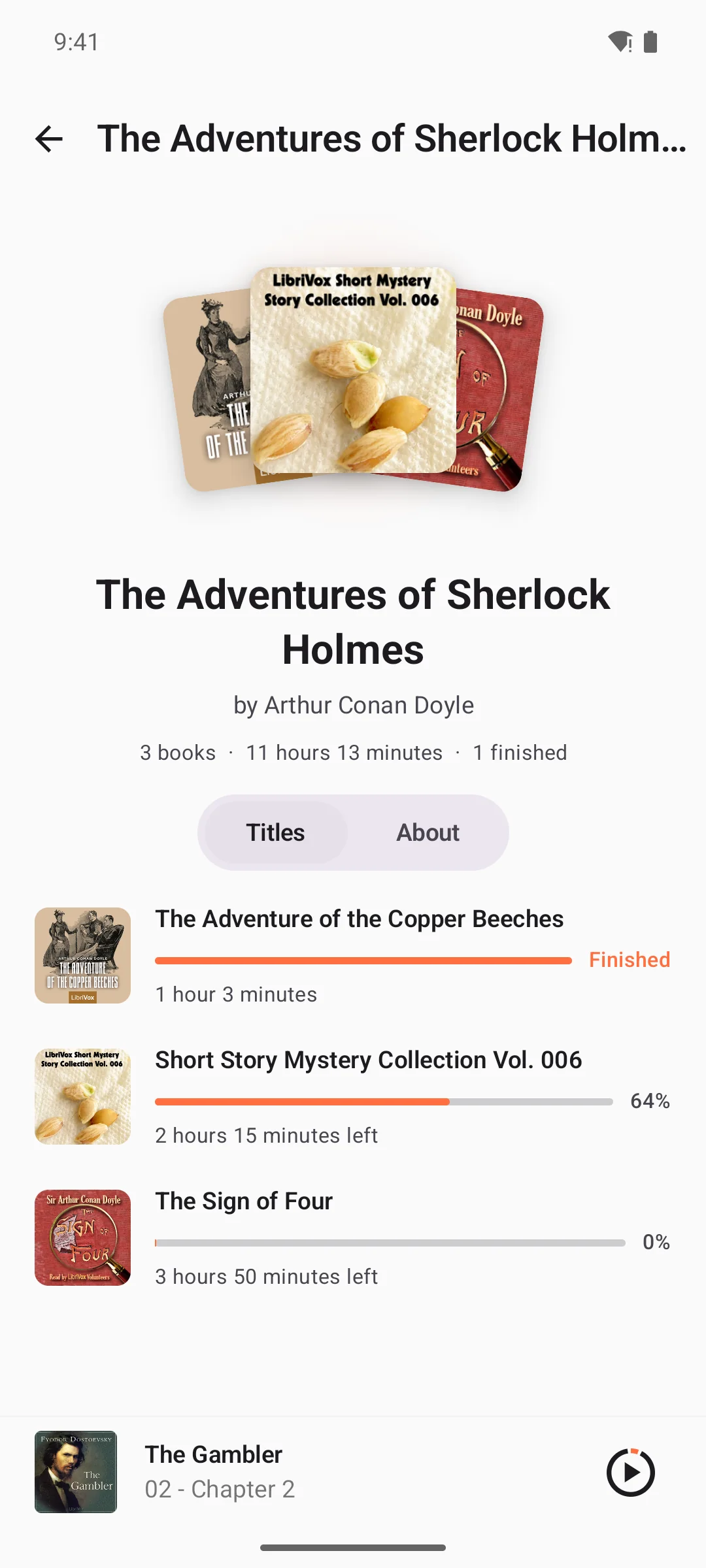
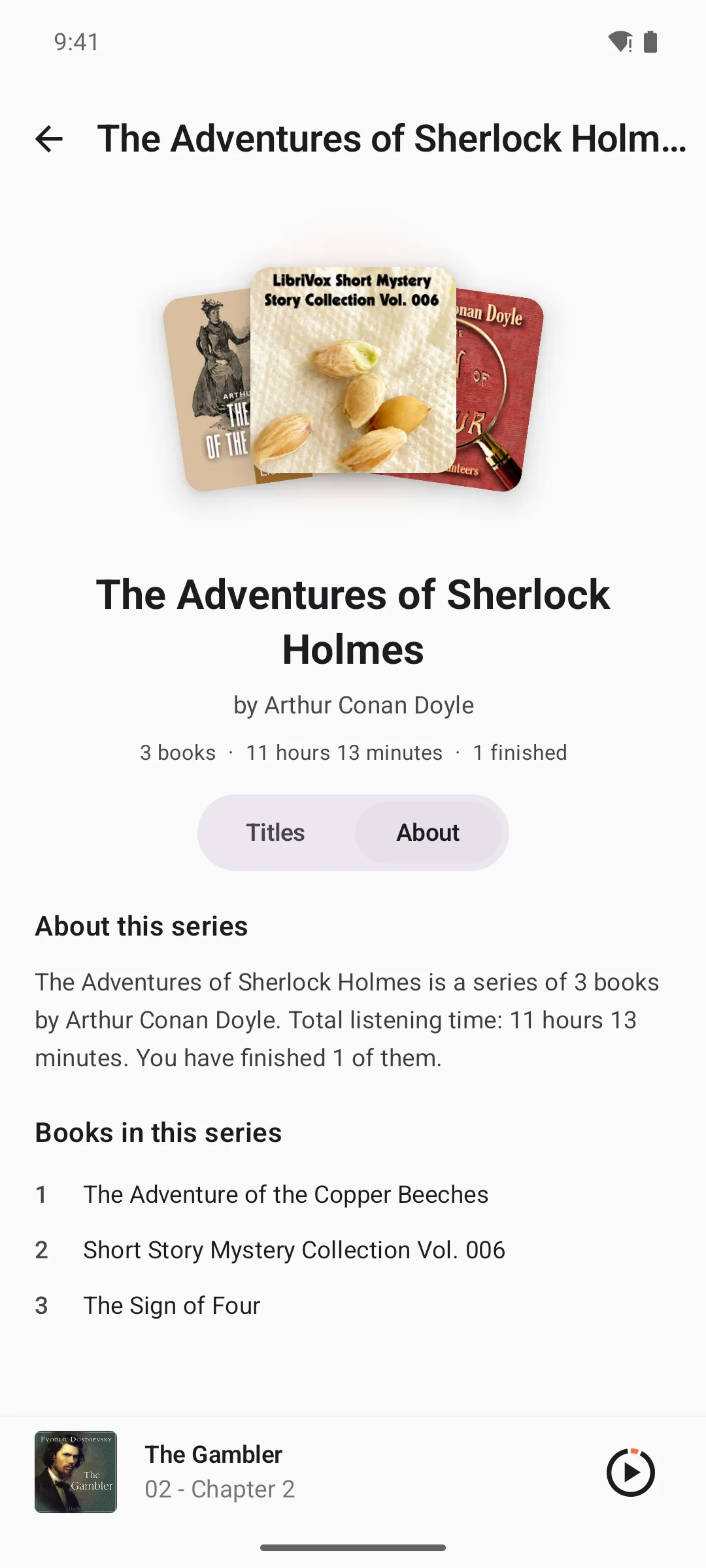
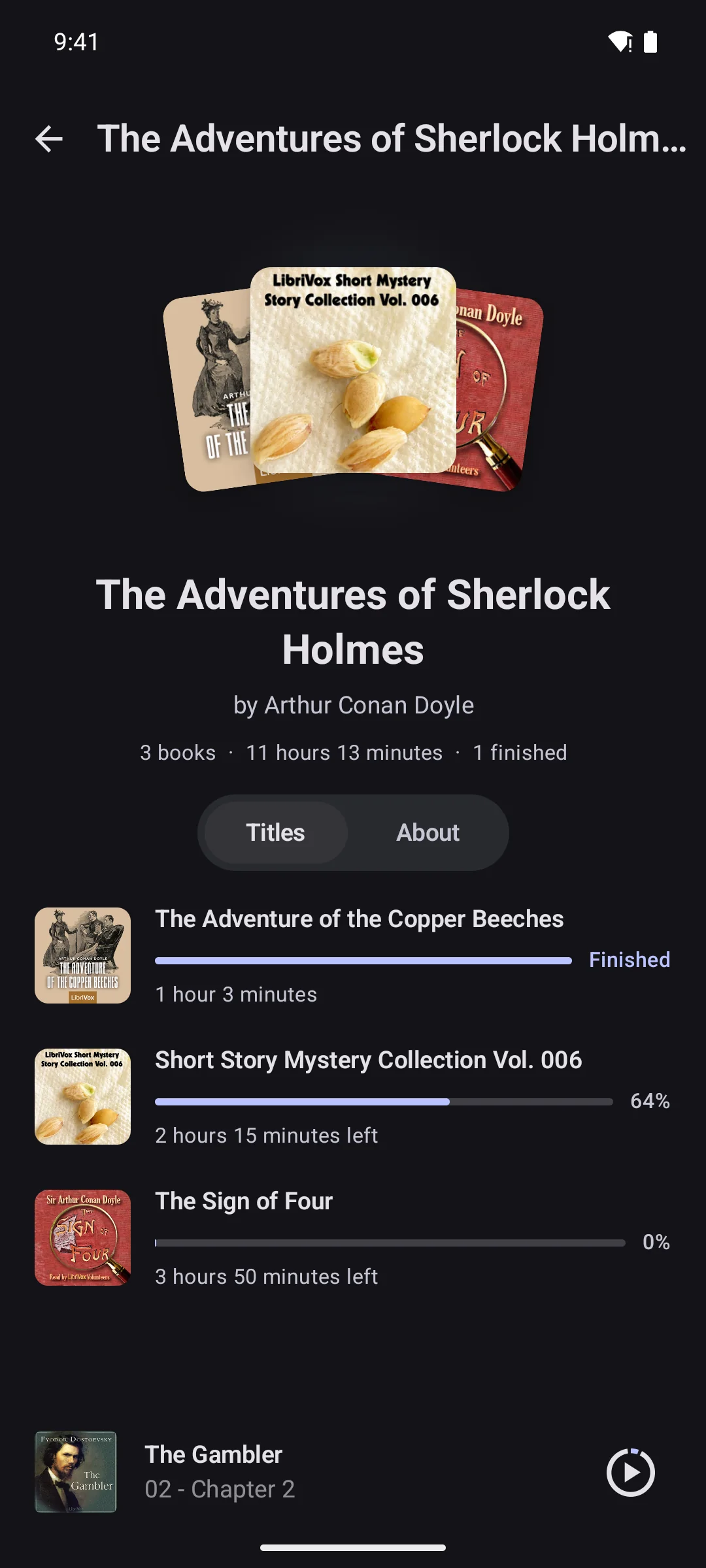
Tap a series to open its own page: a fan of covers, the author, total listening time and how many you've finished. Titles lists every book in order with its progress and time left; About shows the series description or a summary built from the books.
Works offline from downloaded books.
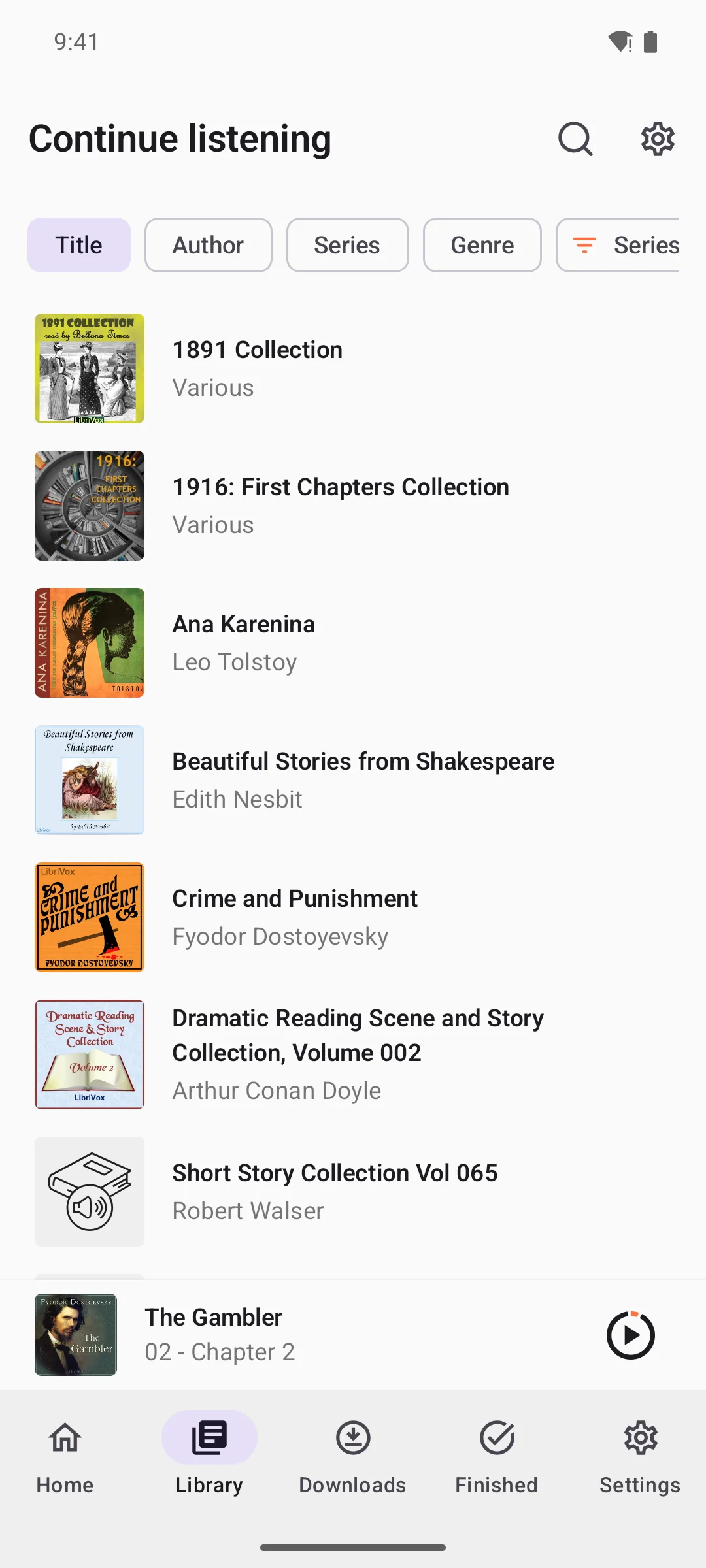
Currently listening
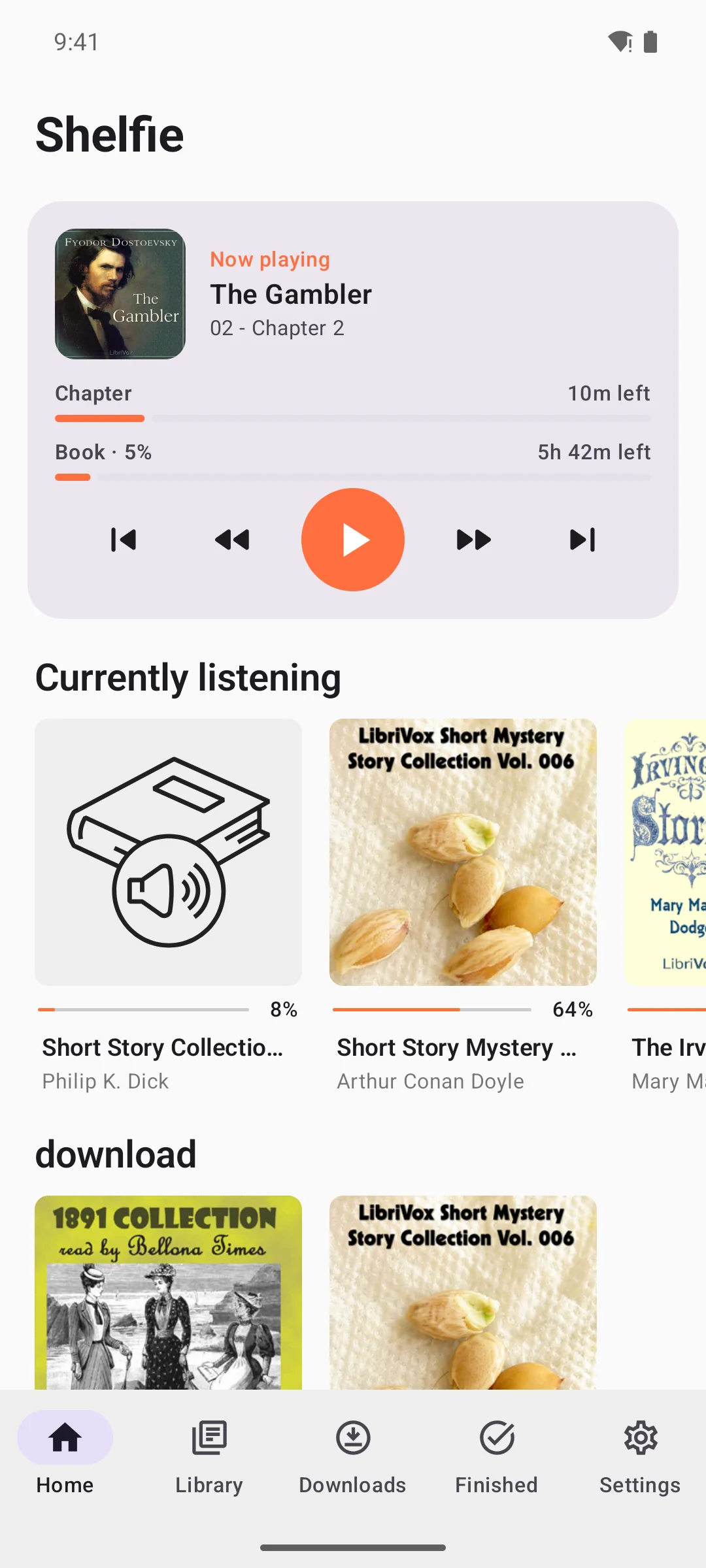
Home puts the book you're playing in a card with chapter skip, rewind and fast-forward, then lists every book you're part-way through with progress bars. Below that: a playlist you choose, recently added books and suggestions from authors and genres you like.
Near the end of a book, Home offers the next in the series.
Search finds series too
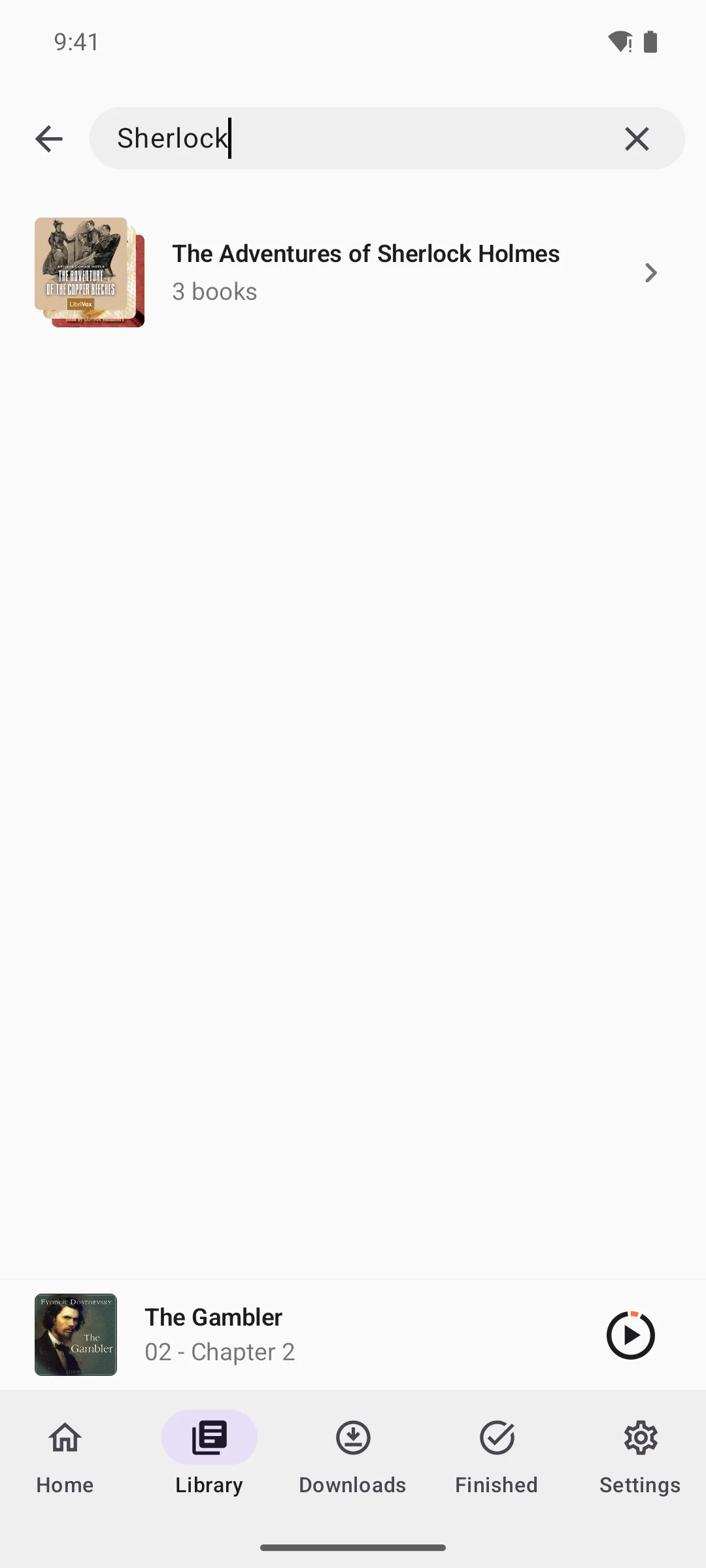
Searching matches series names as well as titles and authors. Matching series appear as their own rows above the books, and a tap opens the series page. Sort the library by title, author, series or genre, or show series only.
Search works on downloaded books with no connection.
A sleep timer that rewinds
The timer fades out over its last minute. When it stops the book it rewinds five minutes, so you pick up near where you dozed off. Shake the phone to restart it, or let an automatic timer start during the night hours you set.
Rewind length and shake sensitivity are adjustable.
Downloads that show their work
Download a book, or just its next chapters, and it plays with no connection. The Downloads tab lists everything on the phone with its size, running downloads show progress bars, and the tab badge counts what's still arriving.
Listening progress syncs back when you reconnect.
Ten colour themes
Fox, Ocean, Forest, Teal, Lavender, Rose, Crimson, Amber, Slate and Midnight, each in light, dark or true black. Or let Material You match your wallpaper.
Your choice is saved with your settings backup.
Your server, your books
A player, not another account.
Shelfie talks only to the Audiobookshelf server you sign in to. There is no Shelfie account, no Shelfie server and nothing to subscribe to.
Any Audiobookshelf server
Sign in with your username and password, or with your server's single sign-on. Custom request headers, a client certificate and a local address used on your home Wi-Fi are all in Settings.
Works with a standard server; nothing to install on it.
Your sign-in stays encrypted
The session token is encrypted with a key held in the Android Keystore and is left out of backups and device transfers. Shelfie has no ads, no analytics and no crash reporting.
Signing out removes the token from the phone.
Plays where you are
Lock-screen and notification controls, Android Auto, home-screen widgets, bookmarks, playback speed, an equaliser and volume boost. Play from the notification still works after a long pause.
Progress syncs to your server as you listen.
A look inside
A reading room for your ears.
Real Shelfie screens, playing public-domain LibriVox recordings from a demo Audiobookshelf server.
Every book in order
Progress bars, Finished marks and time left for each book in the series.
About the series
A short summary, total listening time and how far through you are.
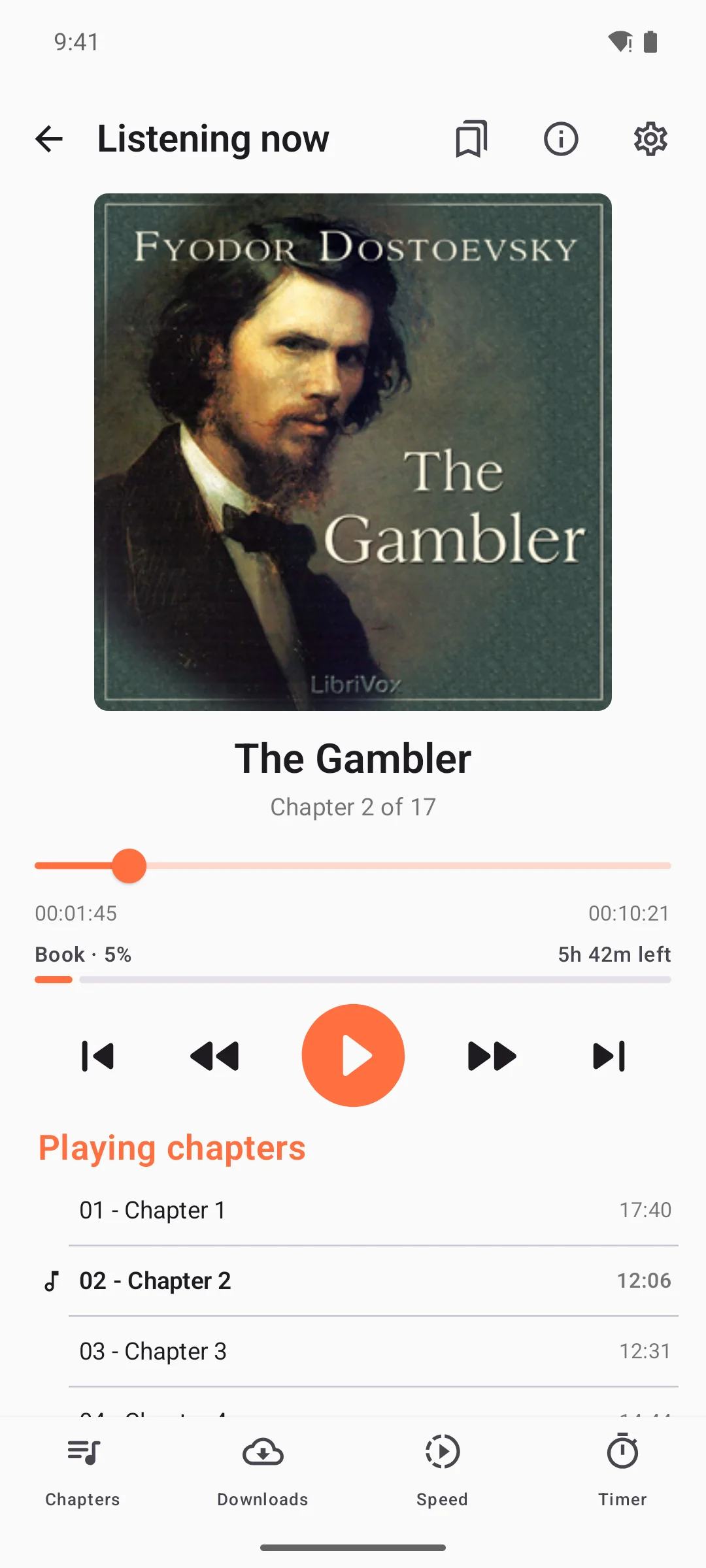
The player
Chapter and whole-book progress, with the chapter list a swipe away.
Search finds series
Matching series appear above the books, one tap from their page.
Your library
Sort chips across the top, and a long press on any book for quick actions.
Ten themes, three modes
Every theme comes in light, dark and true black.
Privacy in plain English
Your books stay between you and your server.
Shelfie connects only to the Audiobookshelf server you sign in to. There is no Shelfie server, advertising tracker, analytics service or crash reporter in the middle.
Your session token is encrypted with an Android Keystore key and excluded from backups and device transfer.
Downloads stay on the phone
Downloaded books, covers and your listening cache live in Shelfie's private storage. Delete them in the app or by uninstalling.
Logs only when you share them
Activity logging writes to a local file for troubleshooting. It leaves the phone only if you export and send it yourself.
Good to know
A few quick answers.
Do I need my own server?
Yes. Shelfie is a player for Audiobookshelf, the free self-hosted audiobook server. It doesn't sell or stream books of its own. If you don't run a server yet, Audiobookshelf's site explains how to set one up.
How much does it cost?
US$0.99 once on Google Play, with local prices set by Google in other countries. There is no free tier, no subscription, no in-app purchases and no feature timer. Updates are included.
Does it work with podcasts?
Yes. Podcast libraries on your Audiobookshelf server show up alongside your audiobook libraries, with episodes, progress and downloads.
Will my progress sync with the web app and other players?
Yes. Listening progress goes to your Audiobookshelf server as you play, so the web app and other clients pick up from the same spot. Progress made offline syncs when you reconnect.
How is Shelfie related to Lissen?
Shelfie is built on Lissen, the open-source Audiobookshelf client by Max Grakov, under its MIT licence. Shelfie adds the series pages, the tabbed Home, Currently listening, series search, the sleep timer, downloads view and themes, and removes Lissen's crash reporting.
When will the Play listing be available?
Shelfie is being prepared for Google Play. This page will link to the listing once it is live; there is no download here before then.
Built by Sam Russell for people who'd rather listen to their own library.
Android, Android Auto and Google Play are trademarks of Google LLC. Audiobookshelf is an independent open-source project; Shelfie is not affiliated with or endorsed by it. Screenshots show public-domain recordings from LibriVox.