Google Play, App Store Connect and the Microsoft Store, brought together in one sharp Android app. Check releases, reply to reviews, manage store metadata and explore every supported API, with your credentials staying encrypted on your phone.
For Android 7.0 and later · Free, with no ads or in-app purchases · Your own store accounts are required.
No ads
No analytics
Encrypted credentials
Direct to store APIs
Store platforms
Three
Colour palettes
Seven
Minimum Android
7.0
Price
Free
One console, three stores
The store work you need to do.
See what is live, what is waiting and what needs attention, without juggling three different browser consoles.
Google Play, end to end
Apps, tracks and release states, listings and images, testers, products, orders, vitals and written reviews. Check cached details instantly, then refresh only when you want fresh data.
Full Android Publisher and Reporting API explorers included.
App Store Connect
Review app details, versions, builds, TestFlight resources, purchases and customer reviews. The App Store Connect OpenAPI explorer gives you direct access to every bundled operation.
Your Team API key stays on your phone.
Microsoft Store submissions
Inspect MSIX applications, submissions and package flights, and use the documented submission operations that the API supports. Reserving a new app name and the first submission stay in Partner Center.
Store limitations are shown clearly, not hidden.
New reviews, without a push server
Optional on-device checks look for new Google Play and App Store Connect reviews about once an hour. Tap an alert to open the right app and fetch the latest review list.
The first successful check for each app is silent.
Seven themes, one sharp layout
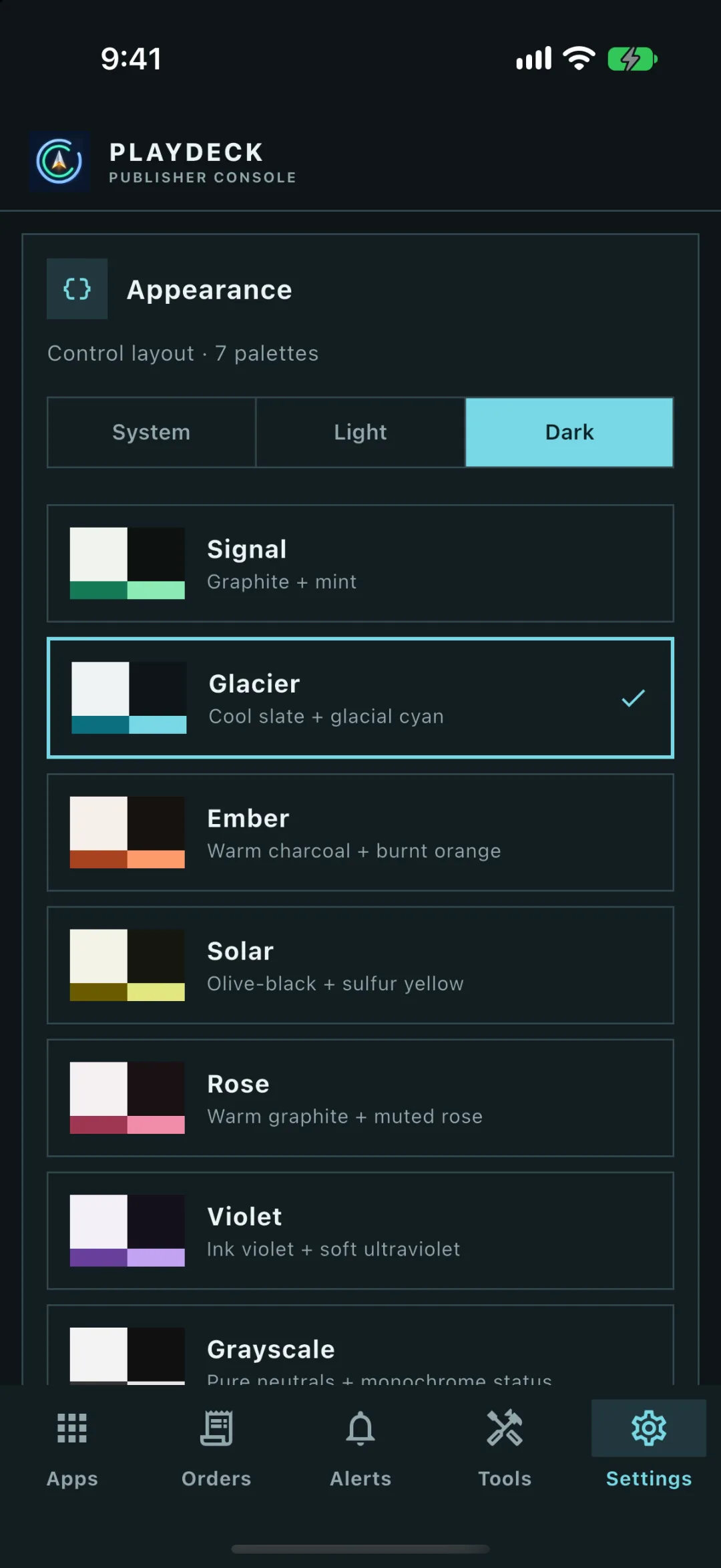
Choose Signal, Glacier, Ember, Solar, Rose, Violet or Grayscale, independently of System, Light or Dark brightness. Every palette shares the same clean Control layout.
Your selection is remembered on your phone.
Fast now, fresh when you ask
Parallel requests and per-host connection pools keep the dashboard responsive. Cached app details, tracks and vitals remain readable across launches until you refresh or clear them.
No silent background refresh of your store data.
Built for control
Power without the middleman.
PlayDeck is a client, not another account service. Your phone talks directly to the store you choose, and every consequential action stays visible.
Your keys stay encrypted
Google service-account JSON, App Store Connect keys and Microsoft credentials use Android Keystore-backed encrypted storage. PlayDeck has no developer-operated server and no analytics SDK.
Replace or remove credentials individually in Settings.
The complete API, not a shortcut
Browse and execute the bundled Google Play discovery methods, App Store Connect operations and Microsoft submission catalog. Read responses as structured JSON and pick upload files yourself.
Every write action asks for confirmation first.
A console that feels considered
Sharp edges, compact status rails, readable metadata and four clear destinations: Apps, Alerts, Tools and Settings. The interface works in light or dark mode without losing status meaning.
Grayscale uses labels and icons instead of colour alone.
A look inside
Clean by default. Yours by choice.
Real PlayDeck 1.8.0 screens with live app data. Start with Signal, or choose a completely different palette and brightness.
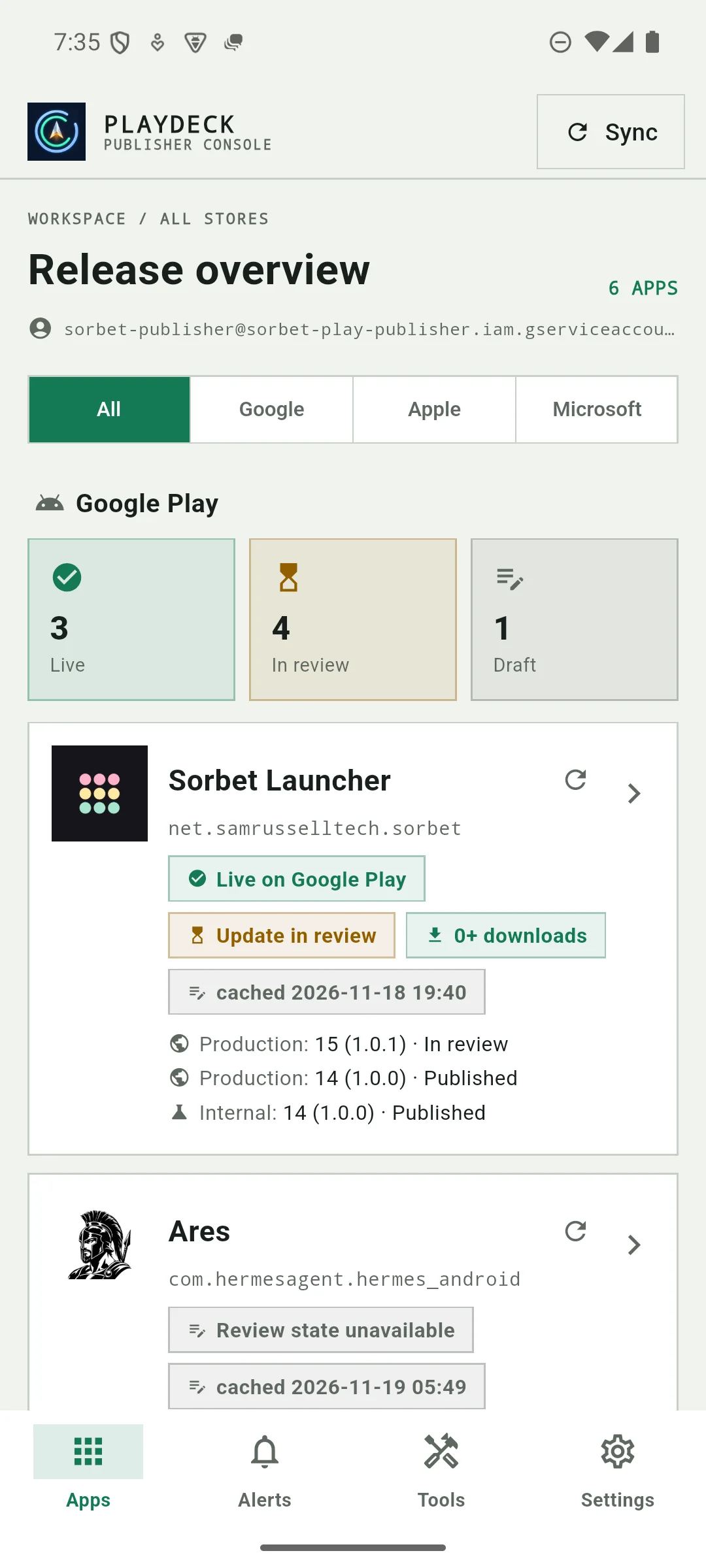
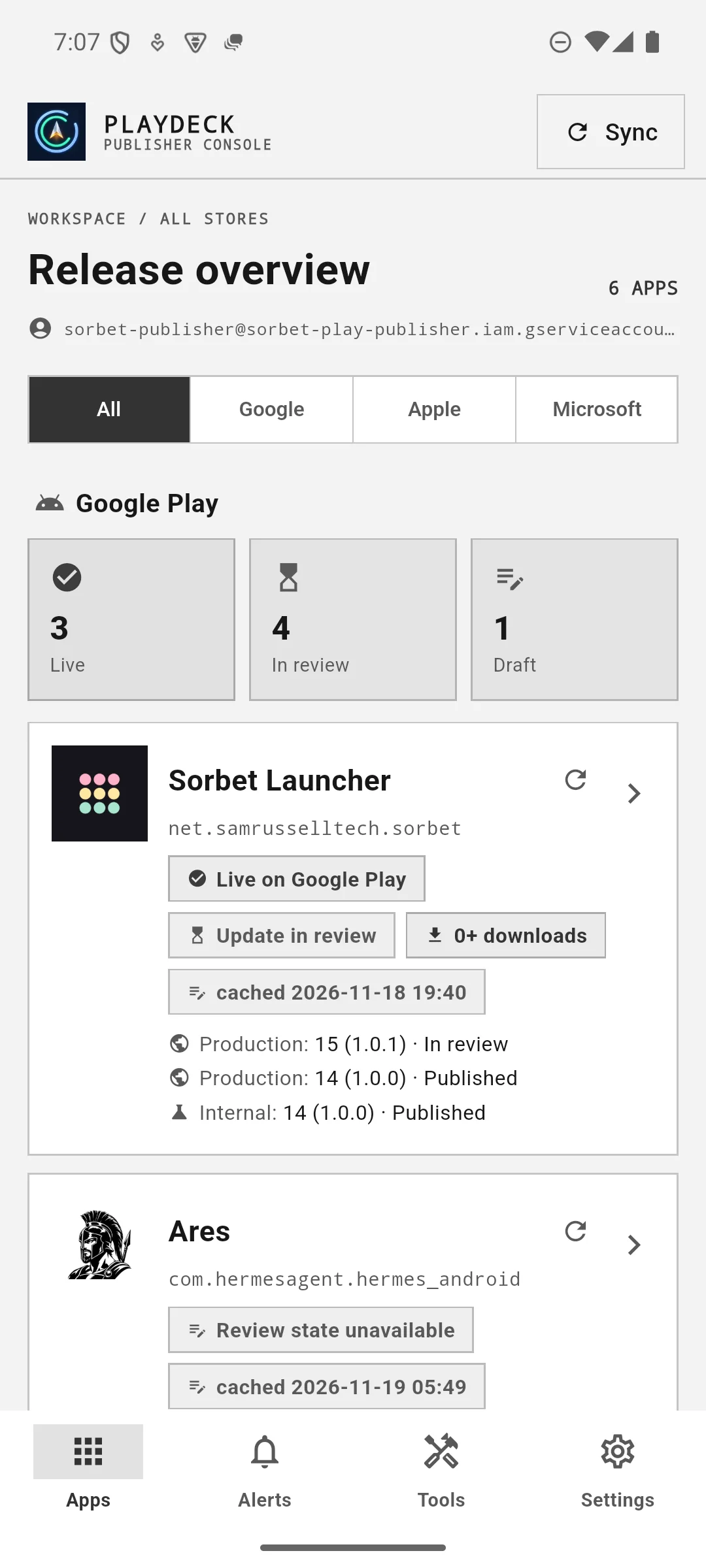
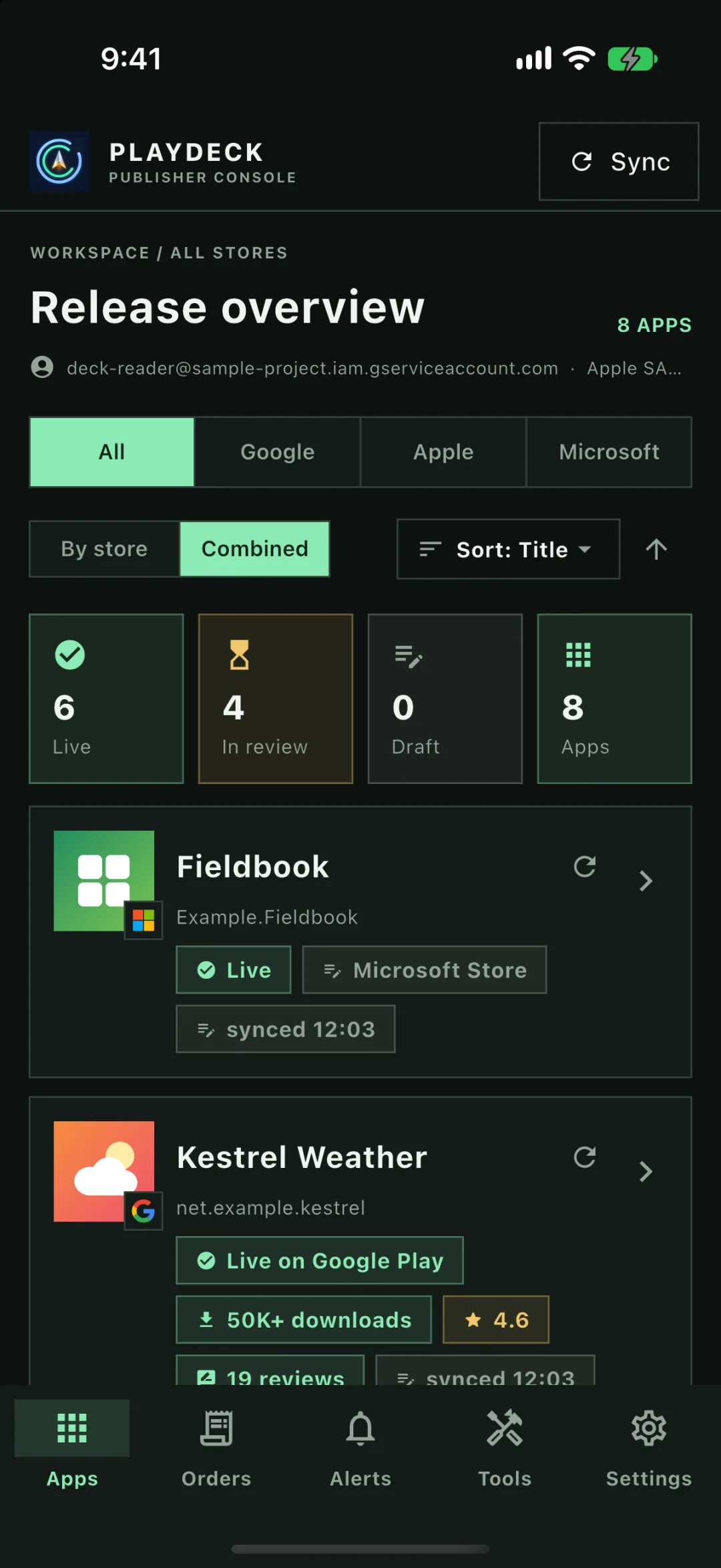
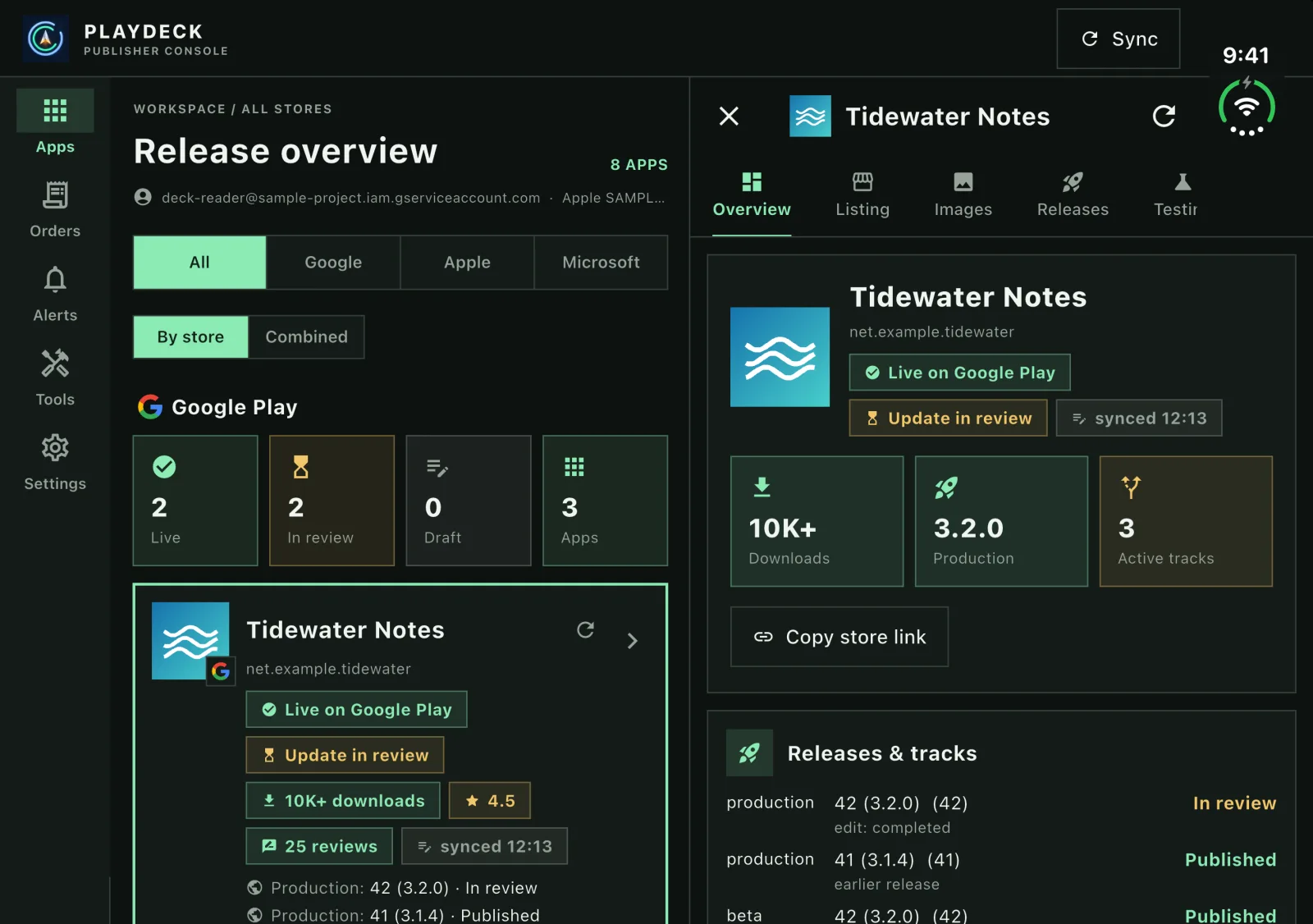
Release overview
Store filters, release counts and app details in a compact Control layout.
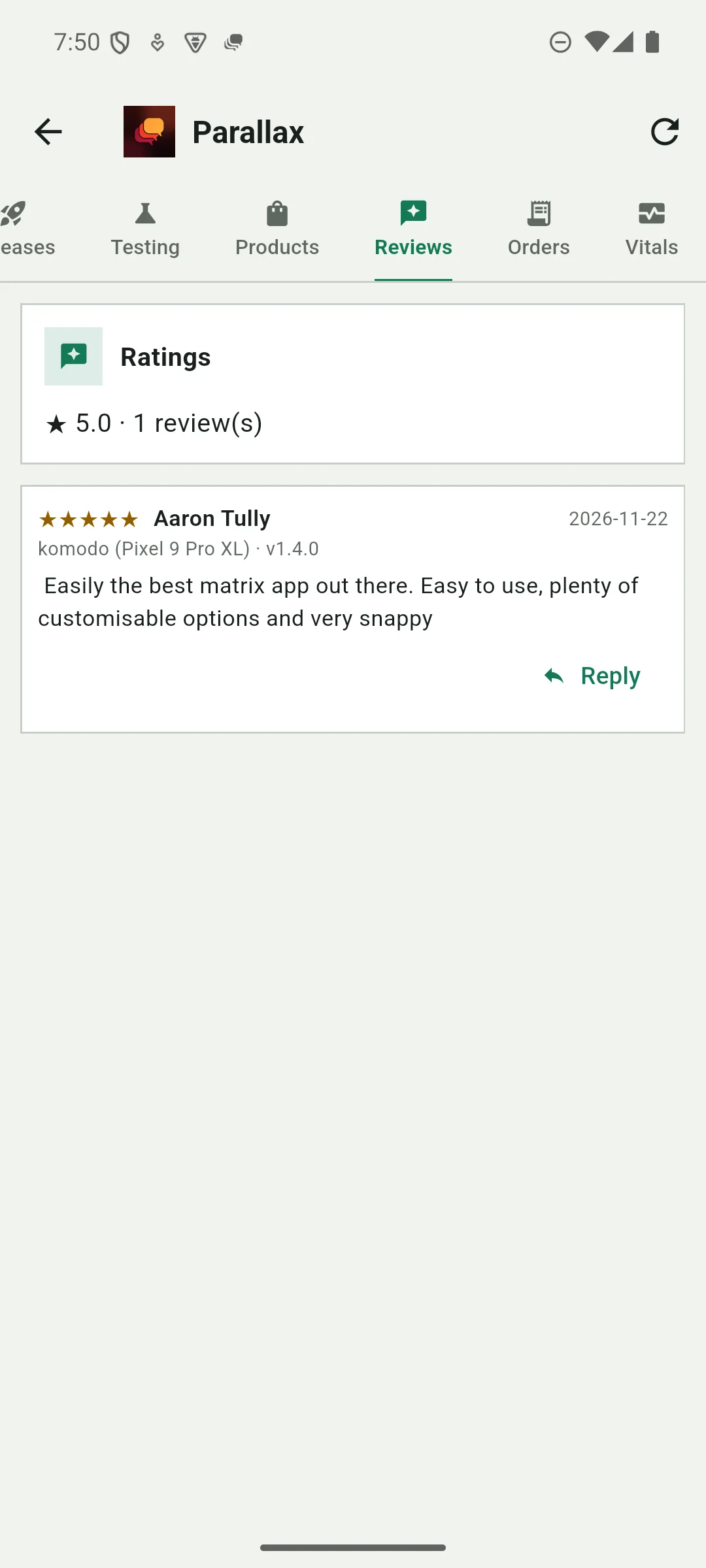
Reviews in context
Read ratings and written feedback, then reply publicly from the app.
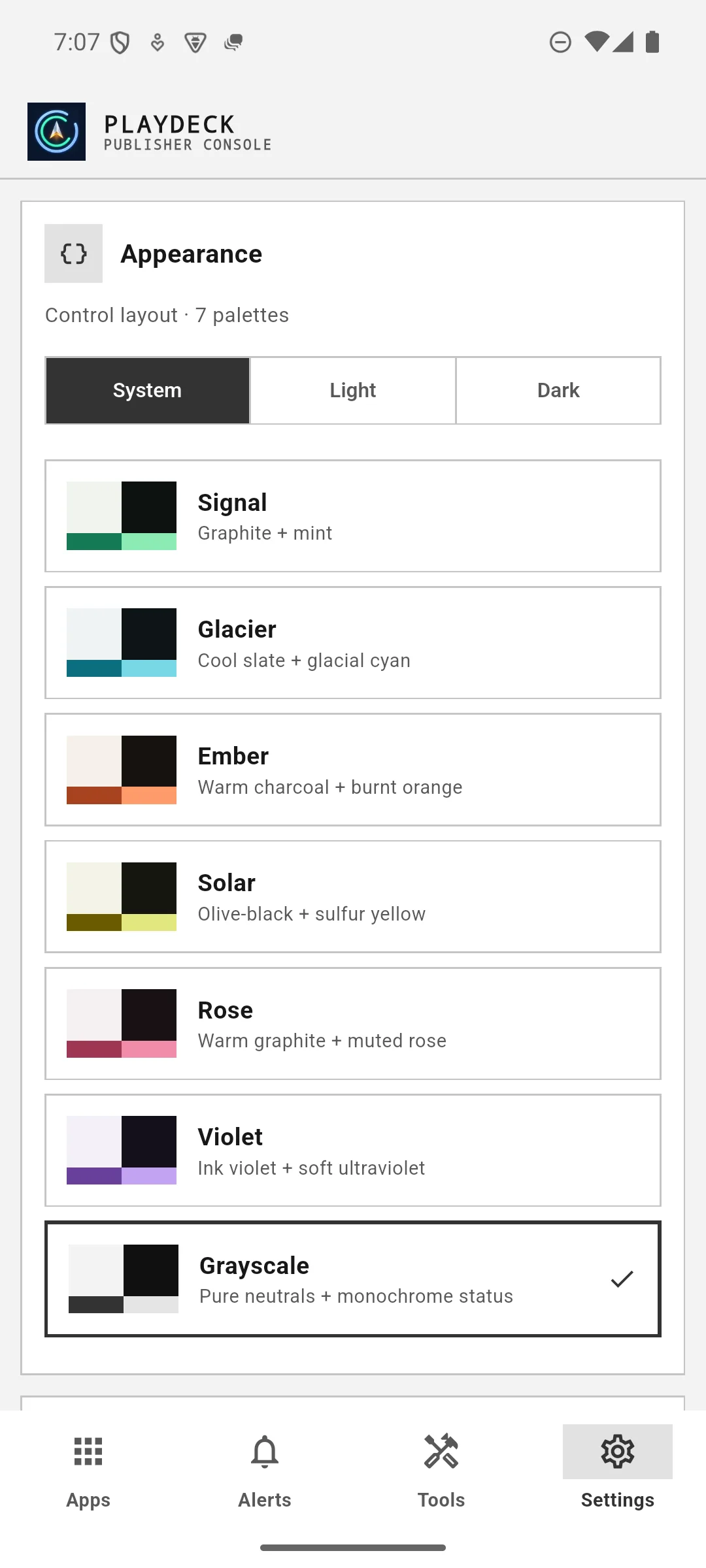
Seven palettes
Pick a colour system and brightness independently. Changes apply immediately.
Genuinely monochrome
Grayscale keeps the same spacing and hierarchy, with labels and icons carrying status meaning.
Privacy in plain English
Your accounts. Your providers.
PlayDeck sends store requests directly from your phone to Google, Apple or Microsoft. There is no PlayDeck server, advertising tracker or analytics service in the middle.
Your store keys are kept in Android Keystore-backed encrypted storage. You can replace or wipe them without touching the provider account itself.
Local cache and alerts
App metadata and review details are cached on-device. Review-alert history uses a private no-backup database with IDs, not reviewer names or comments.
Writes stay deliberate
Release edits, uploads, replies and other write actions go only to the provider you choose, after an in-app confirmation.
Good to know
A few quick answers.
Is PlayDeck really free?
Yes. The app is free with no ads, analytics, subscriptions or in-app purchases. Google Play may show its own account requirements, but there is no PlayDeck paywall.
What do I need to sign in?
Use the credentials for the stores you manage: a Google Play service-account JSON key, an App Store Connect Team API key, or Microsoft Partner Center Entra credentials. Each connection is optional.
Does PlayDeck need a server of mine?
No. There is no PlayDeck relay or developer account server. Your phone connects directly to the relevant store APIs. Your store provider still processes the data needed to operate its service.
Can I publish a release from the API explorer?
PlayDeck supports the store API operations exposed by its bundled method catalogs and asks before every write. Some console-only setup still belongs in the provider's website, including app-content declarations, app pricing, the first Microsoft submission and some policy tasks.
When will the Play listing be available?
The free Google Play listing is in review. This page will link to the public listing after Google approves it; no download is offered here before approval.
Built by Sam Russell for developers who want one clear view across their stores.
Android and Google Play are trademarks of Google LLC. Apple, App Store Connect, TestFlight, iPhone, iPad and Mac are trademarks of Apple Inc. Microsoft and Partner Center belong to Microsoft. PlayDeck is an independent client; compatibility does not imply endorsement.
PlayDeck / iOS & iPadOS · On the App Store
PlayDeck Console for iPhone, iPad & iPhone Duo
All three app stores on iPhone, iPad and iPhone Duo.
PlayDeck is on the App Store as PlayDeck Console. Connect Google Play, App Store Connect and the Microsoft Store with your own keys and see releases, review states, customer reviews and orders in one console, with no PlayDeck server in between.
Free on the App Store · iOS and iPadOS 15.0 or later · No ads or analytics.
174 Google + 1337 Apple + 29 MS ops
Keychain credential store
App-switcher snapshot cover
iPad & unfolded Duo ready
App preview · sample data
Price
Free
Store platforms
Three
Colour palettes
Seven
Requires
iOS/iPadOS 15.0+
Shared Control console on iOS
Full store APIs with honest iOS boundaries.
PlayDeck on iPhone, iPad and unfolded iPhone Duo runs the complete three-store client and bundled API explorers, with native Swift bridges for credential protection and non-backed-up cache storage.
Three stores, one switcher
Inspect Google Play tracks and vitals, App Store Connect versions, builds and TestFlight groups, and Microsoft Store MSIX submissions from one unified app list.
All 1,540 bundled API operations
Run any of the 174 Google Play discovery methods, 1,337 App Store Connect OpenAPI operations or 29 Microsoft submission operations, with explicit confirmation before every write. Import a JSON key, .p8 key, AAB or images, and use Save JSON export.
Keychain & switcher-snapshot protection
Service-account JSON, .p8 keys and Entra secrets live in the iOS Keychain. Because iOS cannot block active user screenshots, PlayDeckSecureWindow covers the app with an opaque window whenever it resigns active on a credential screen.
Wide iPad & unfolded iPhone Duo
Adaptive compact, navigation-rail and two-pane workspaces support iPad Split View, orientations and wide unfolded iPhone Duo screens (UIRequiresFullScreen = false), keeping store navigation and the selected workspace side by side when space allows.
Non-evicted, non-backed-up cache
Cached store snapshots live in Application Support/playdeck_cache_v1 with isExcludedFromBackup = true, so iOS neither evicts your cached dashboard nor uploads it to iCloud Backup.
Platform limits disclosed
On iOS and iPadOS, review checks run in-app only when you choose Check reviews now or Sync. Hourly background review alerts are Android-only.
A look inside
PlayDeck on iPhone.
The apps, reviews and orders shown are invented sample data, not a real developer account.
App preview · sample data
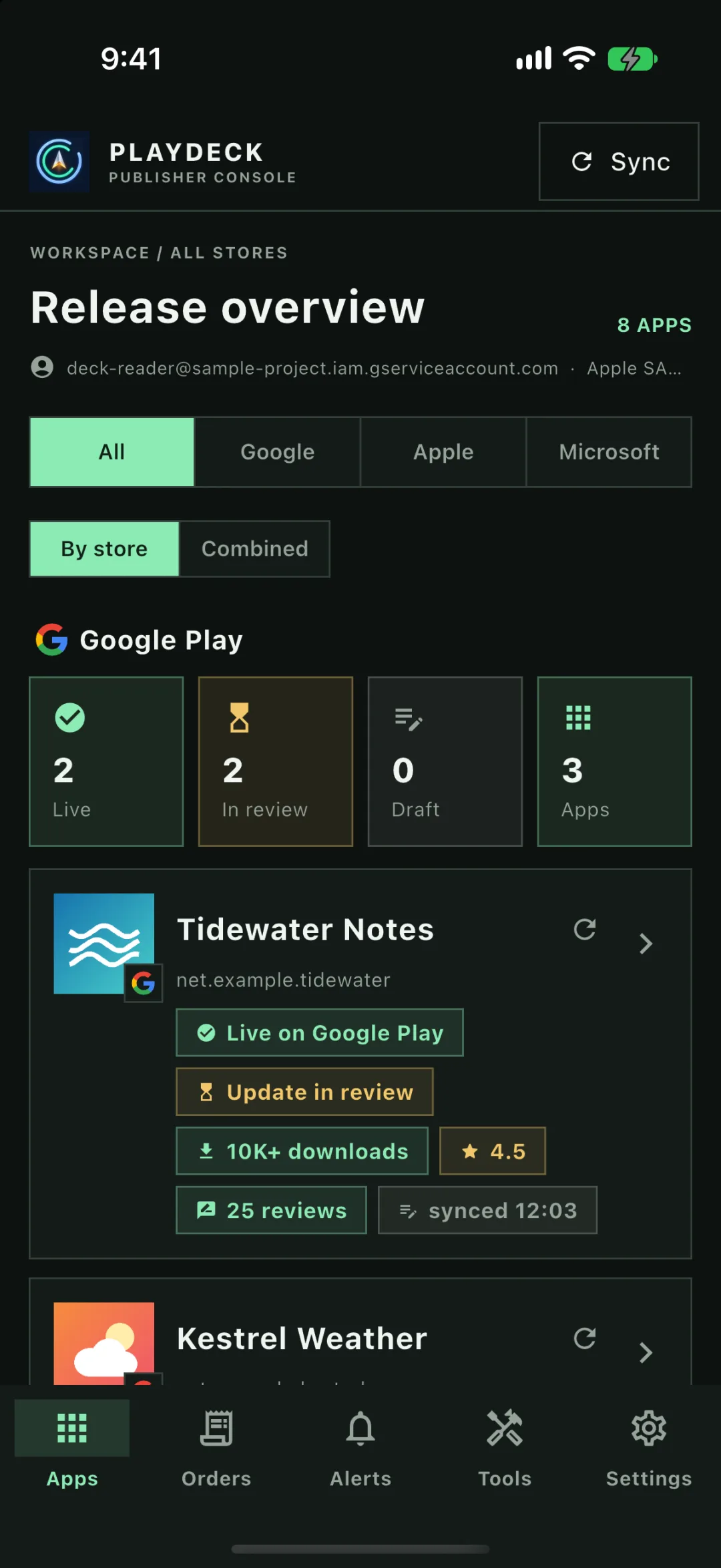
Release overview
Live, in review and draft counts for each store, then every app with its status, rating and tracks.
App preview · sample data
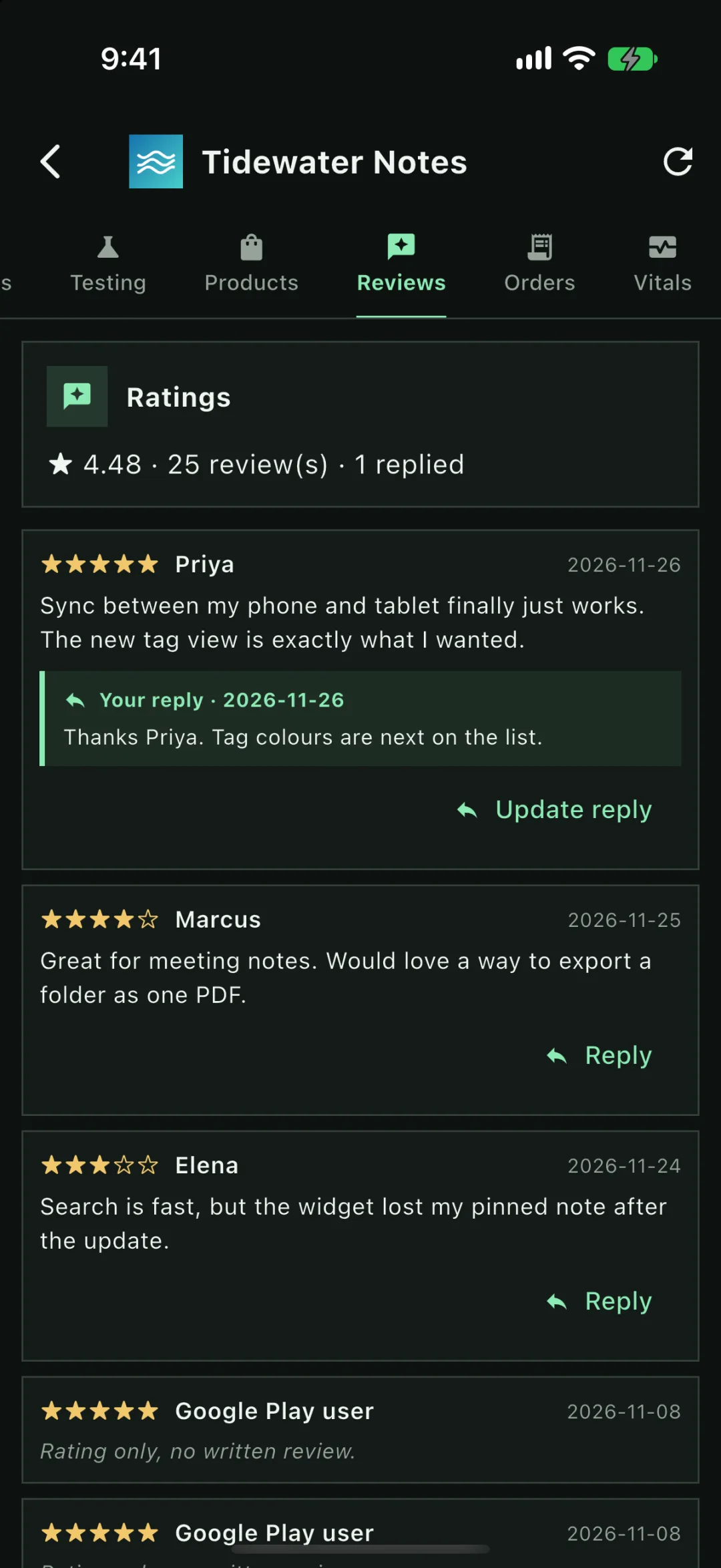
Customer reviews
Star ratings, written reviews and your replies, with a Reply link on each review.
App preview · sample data
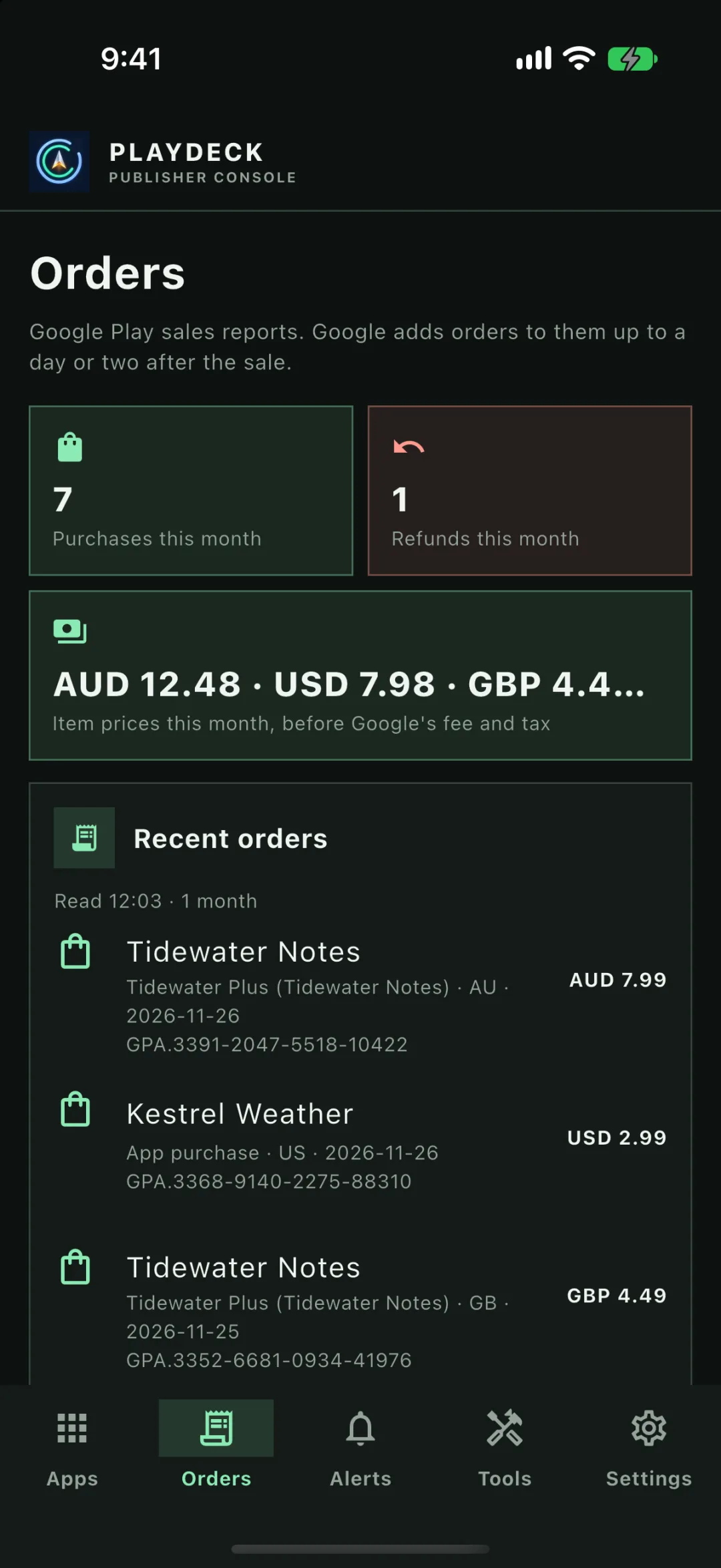
Orders
Purchases and refunds from your Google Play sales reports, with this month's totals at the top.
App preview · sample data
Every store in one list
Switch from By store to Combined to sort every connected store's apps together.
Seven palettes
Choose System, Light or Dark, then a palette from Signal to Grayscale.
App preview · sample data
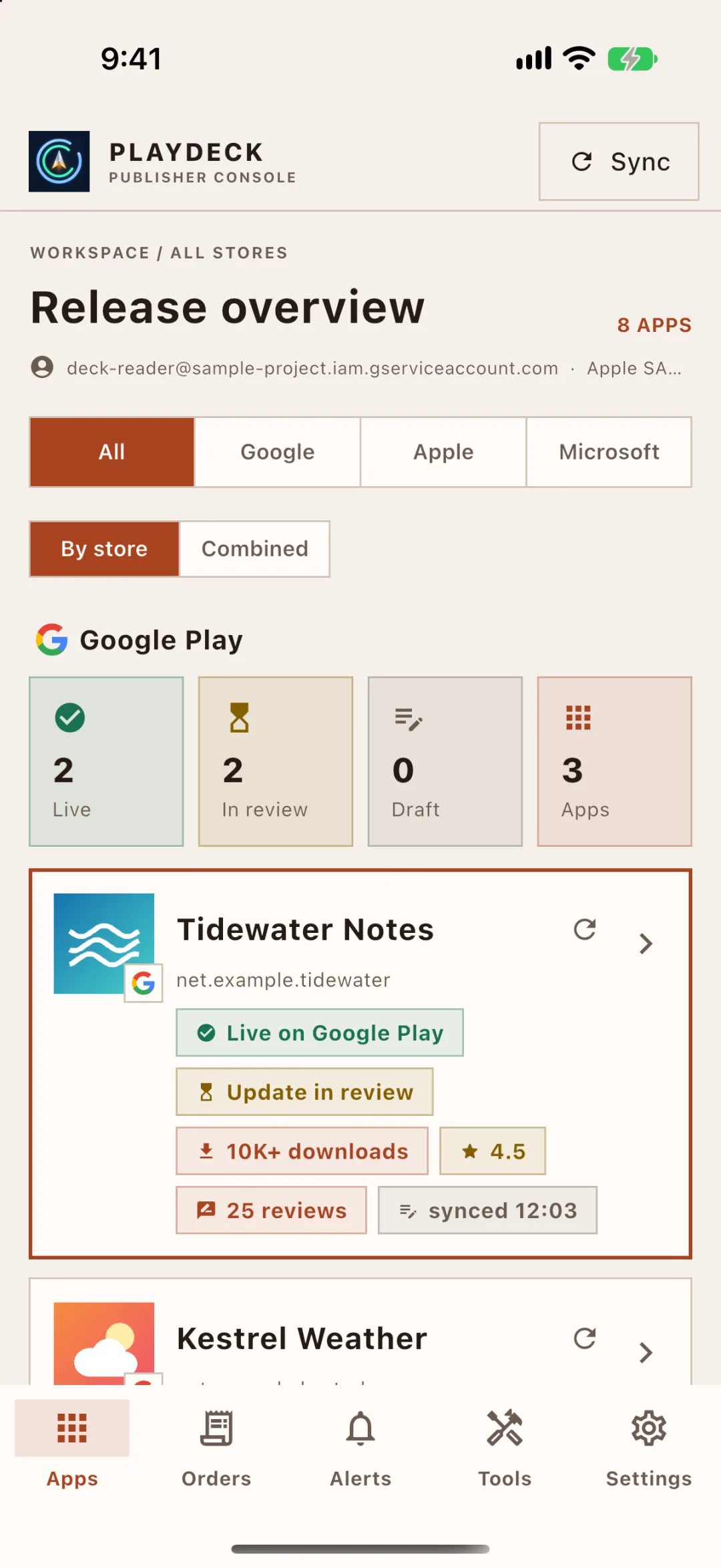
Light or dark
The same console in the Ember palette with the light theme.
On iPad
Rail, list and detail on one screen.
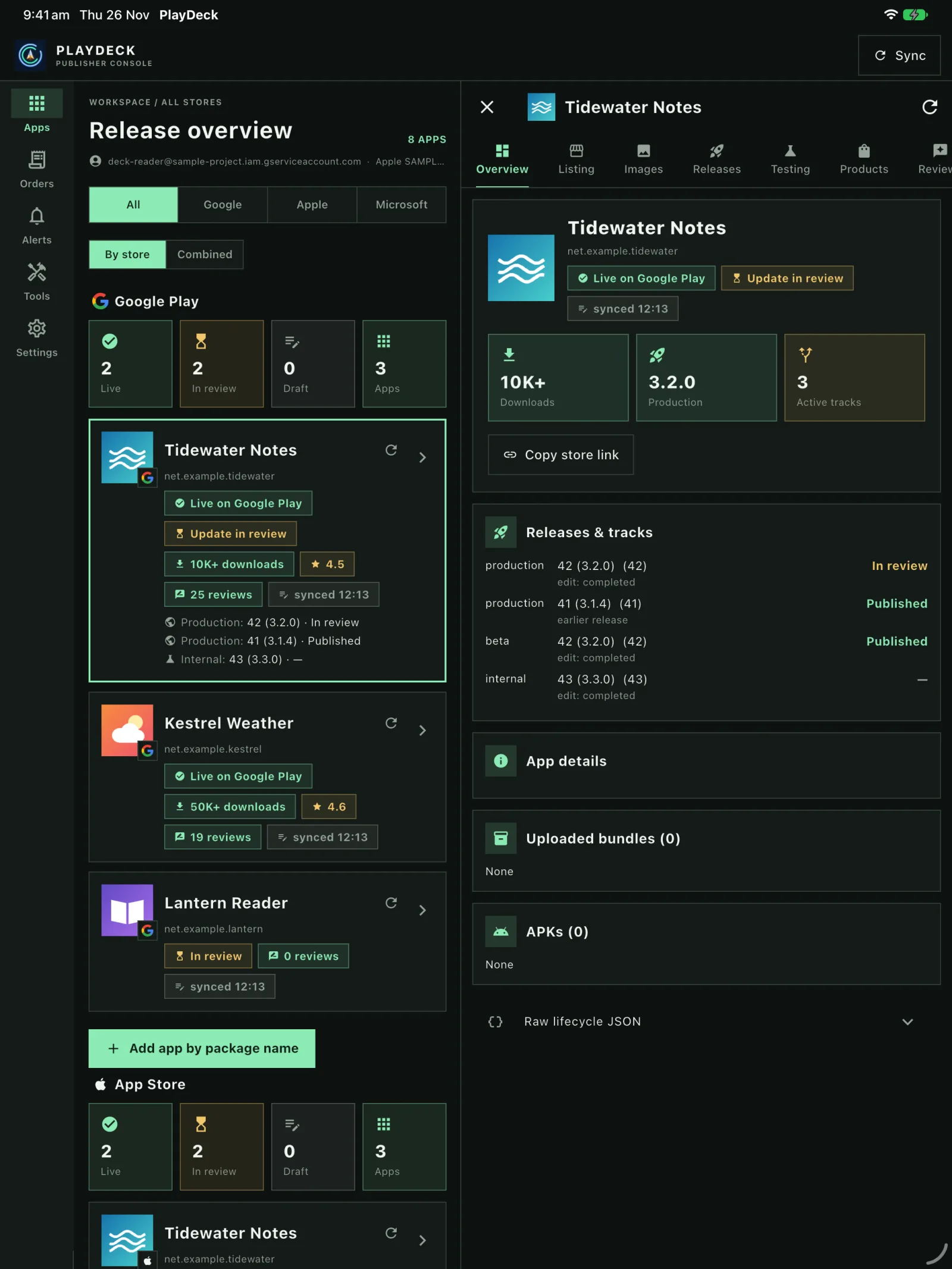
On iPad, the release overview stays open beside the app you are inspecting.
App preview · sample data
Inspect an app without losing the list
The side rail, your apps and the selected app's overview share the screen.
Side railApps, Orders, Alerts, Tools and Settings move to a rail on the left.
List beside detailPick an app and its tabs open on the right: Overview, Listing, Images, Releases and more.
Split ViewPlayDeck works in iPad Split View and in every orientation.
iPhone Duo · the folding iPhone
Unfold for three columns.
On an unfolded iPhone Duo, PlayDeck shows the rail, your apps and the selected app side by side.
App preview · sample data
Your apps and the one you picked
Release tracks and states for the selected app sit beside the full app list.
Unfolded: three columnsThe side rail, the release overview and the selected app's detail share the screen.
Tracks at a glanceSee which release is live and which is in review without leaving the list.
Same appIt is the same App Store download as on iPhone and iPad.
Before you download
A few quick answers.
Do I give PlayDeck my store passwords?
No. You connect each store with a key you create: a Google Play service-account JSON key, an App Store Connect API key or a Microsoft Entra app. Keys are stored in the iOS Keychain and PlayDeck talks to each store directly from your device.
Is there a PlayDeck account or server?
No. There is no PlayDeck account, no PlayDeck server, and no ads or analytics.
Does it check for reviews in the background?
Not on iPhone or iPad. Review checks run when you choose Check reviews now or Sync.
Apple, iPhone, iPad and Mac are trademarks of Apple Inc. App Store is a service mark of Apple Inc. Google Play is a trademark of Google LLC. Microsoft and Microsoft Store are trademarks of the Microsoft group of companies. PlayDeck is an independent tool; compatibility does not imply endorsement.
PlayDeck / macOS · Coming soon
PlayDeck for Mac
A native Mac publisher console for Google, Apple and Microsoft.
Manage all three stores from a sharp-edged macOS desktop window with bring-your-own-keys access and no PlayDeck server. Adaptive two-pane workspaces, macOS shortcuts, pointer-aware controls, App Sandbox, macOS login Keychain storage and secure-window capture protection are built in.
Coming soon for macOS 13.0+ (Apple silicon) · Free, no ads or analytics · Not on the App Store yet.
macOS App Sandbox + login Keychain
NSWindow.sharingType = .none on key screens
JSON key/.p8/AAB/image import + Save JSON export
Seven Control palettes
Status
Coming soon
Store platforms
Three
Colour palettes
Seven
Minimum macOS
macOS 13.0+ (Apple silicon)
Built for release days on Mac
Every store API right next to Xcode and Android Studio.
PlayDeck for Mac brings the same direct-to-provider architecture to your desktop, where your build artifacts and release notes already live.
Desktop APIs, shortcuts & file workflows
Use macOS keyboard shortcuts and pointer-aware controls to edit JSON:API payloads. Import a JSON key, .p8 key, AAB or images through user-selected file entitlements, and choose Save JSON to export.
Screen-recording exclusion & Keychain
Credentials live in the macOS login Keychain. While a credential screen is open, PlayDeckSecureWindow sets NSWindow.sharingType = .none across app windows so screen sharing and recording cannot capture your keys.
Honest store & platform limits
On Mac, review checks run in-app only when you choose Check reviews now or Sync; hourly background review alerts are Android-only. Provider API boundaries remain clearly labelled.