Check quotas, balances and spend across your AI providers without juggling provider tabs. MQ Dash Standalone supports multiple accounts, keeps each reading under its proper label and includes Codex subscription limits on ARM64 devices.
Early access · Android 7.0 and later · No Google Play listing.
Small banner in Free
Premium removes ads
Encrypted credentials
No MQ Dash account server
App preview · sample data
Provider connections
Dozens
Accounts
Multiple
Themes
Six
Minimum Android
7.0
Built for your accounts
The reading you need, with the right label.
Connect the services you use and leave the account juggling behind. MQ Dash keeps providers, accounts and reading types distinct.
Quotas, balances and spend
Dozens of provider connections bring quotas, balances and spend into one view, with a distinct label for each reading. If a provider cannot supply a value, MQ Dash shows Unknown instead of zero.
Website-only providers are marked with a Website link.
More than one account
Add multiple accounts for a provider and switch between them without mixing their readings. Give each connection its own place in your dashboard.
Use the accounts you choose.
Codex, built in
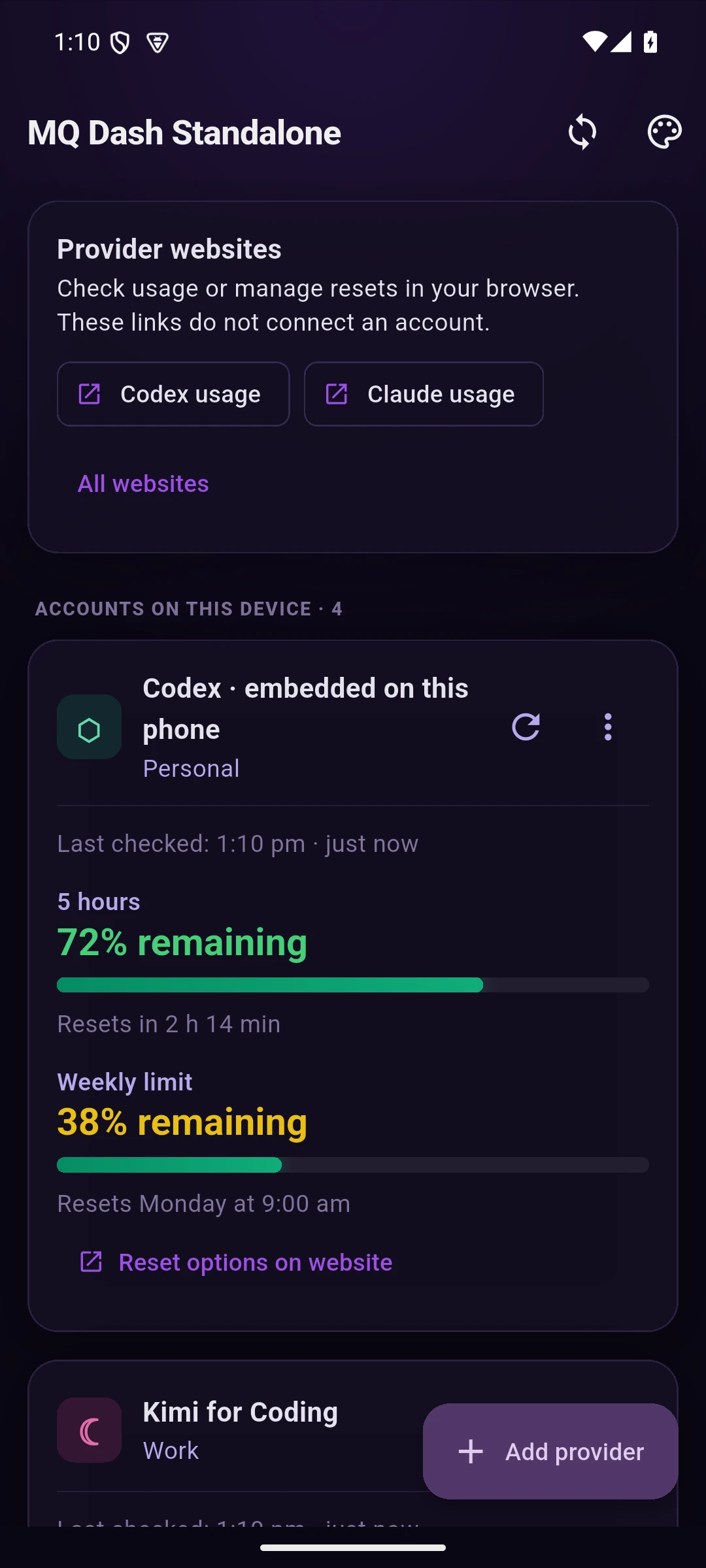
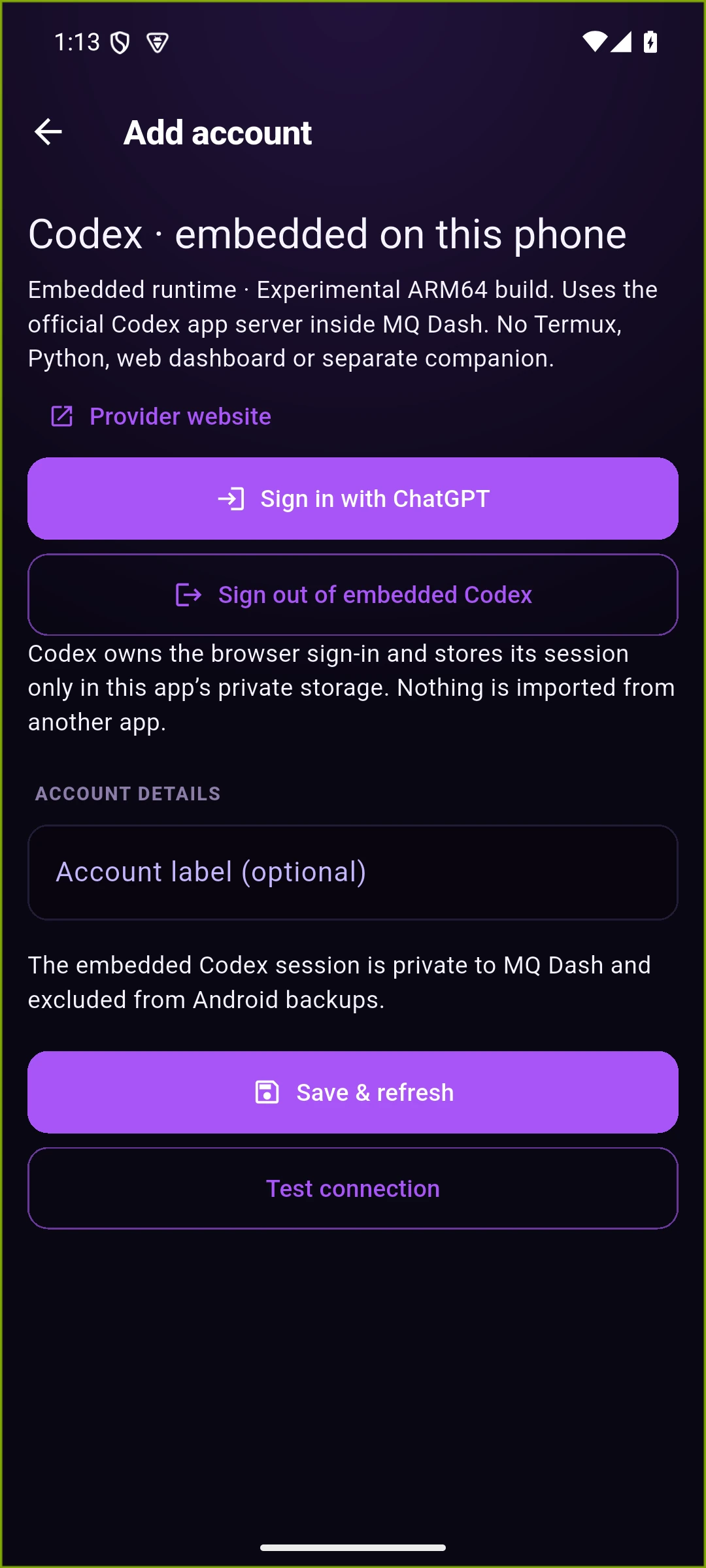
Use Codex's official browser sign-in and its private, embedded app-server session on ARM64 devices. Check subscription limits in MQ Dash. The optional earned-reset action asks for separate confirmation before it runs.
Embedded Codex requires ARM64.
Hermes when you want it
Add the optional Hermes companion with a token to see 24-hour, 7-day and 30-day usage. MQ Dash works without Hermes, and your token goes to the Hermes service you choose.
Token-only companion. No MQ Dash relay.
Credentials stay encrypted
MQ Dash encrypts provider credentials on your phone and uses HTTPS for provider connections. Cached readings stay in local app storage. There is no developer-operated MQ Dash account server.
Android backups are disabled for app data.
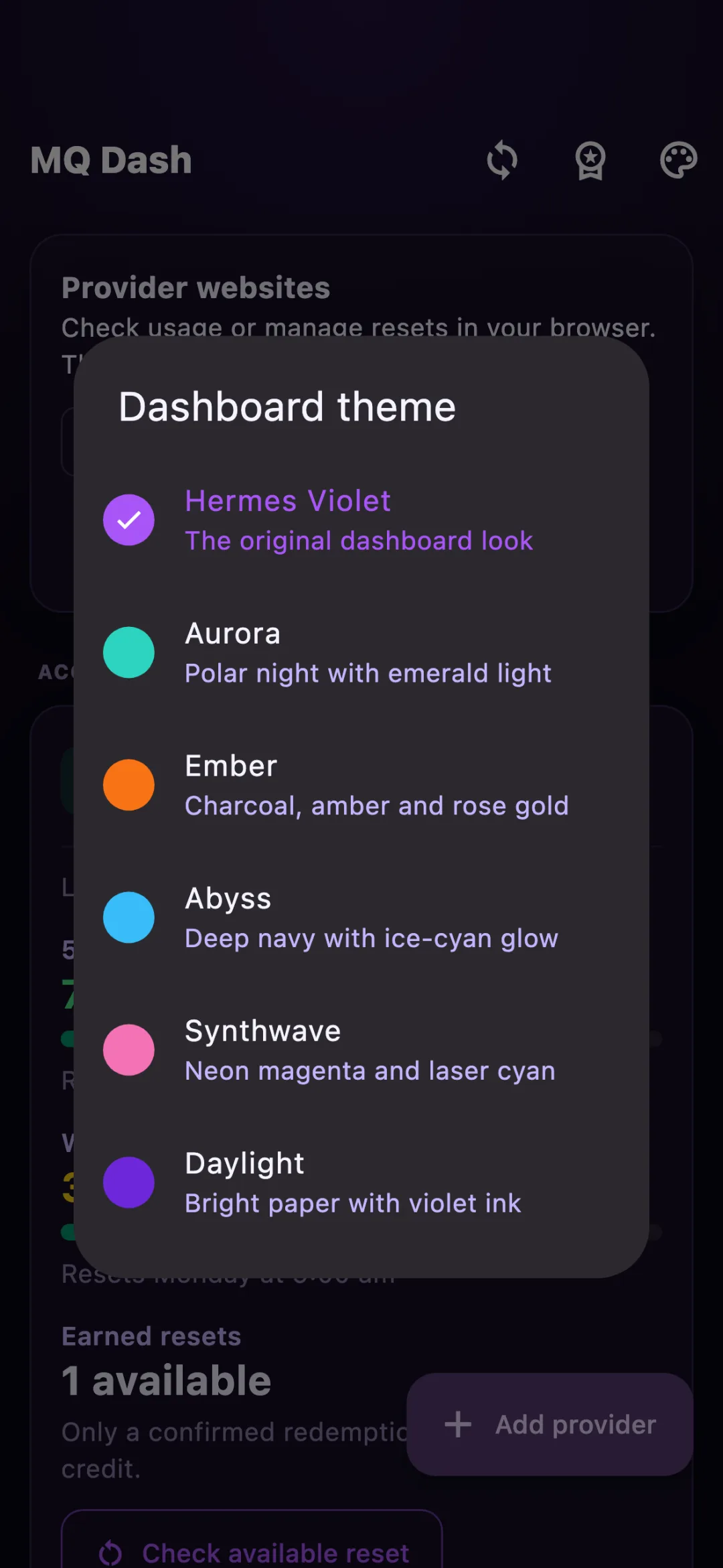
Six themes, familiar colours
Pick from six themes and use brand-colour bars to tell providers apart. Account names and reading labels keep the dashboard legible.
Your theme stays on your phone.
A look inside
Your accounts, at a glance.
These screens show real MQ Dash UI with sample account values. No real account data appears in these previews.
App preview · sample data
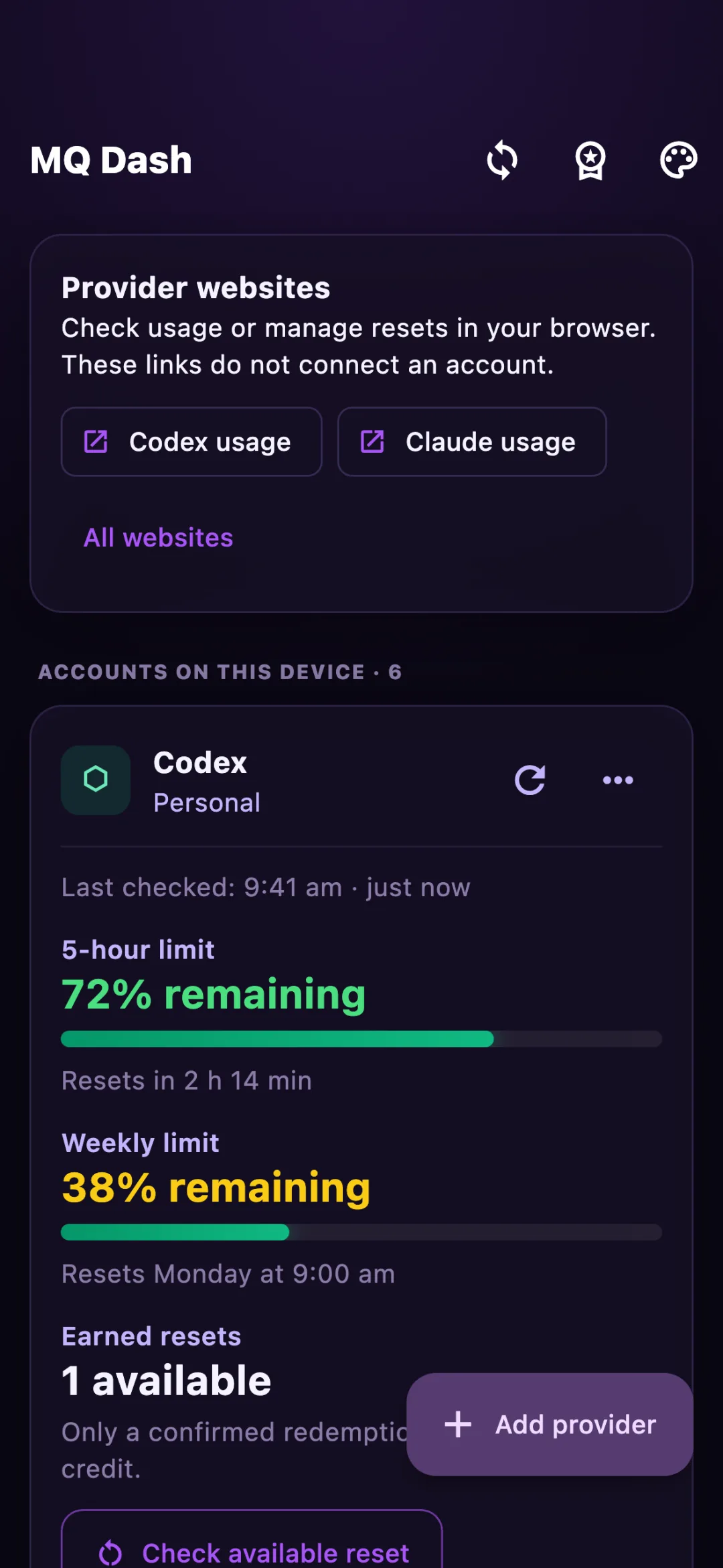
One home for your readings
Provider bars, quotas, balances and spend sit under distinct labels. Sample values illustrate the layout.
App preview · sample data
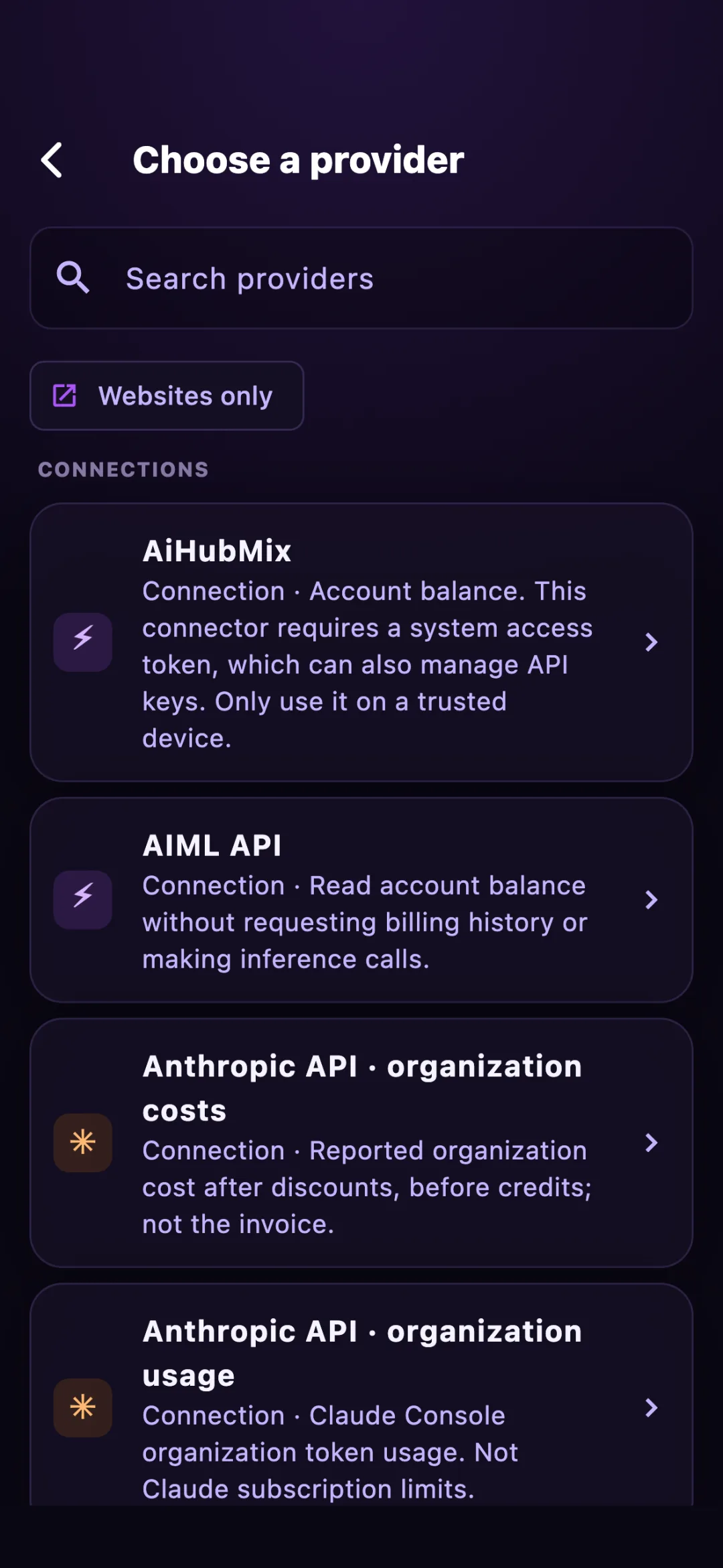
A connection for each account
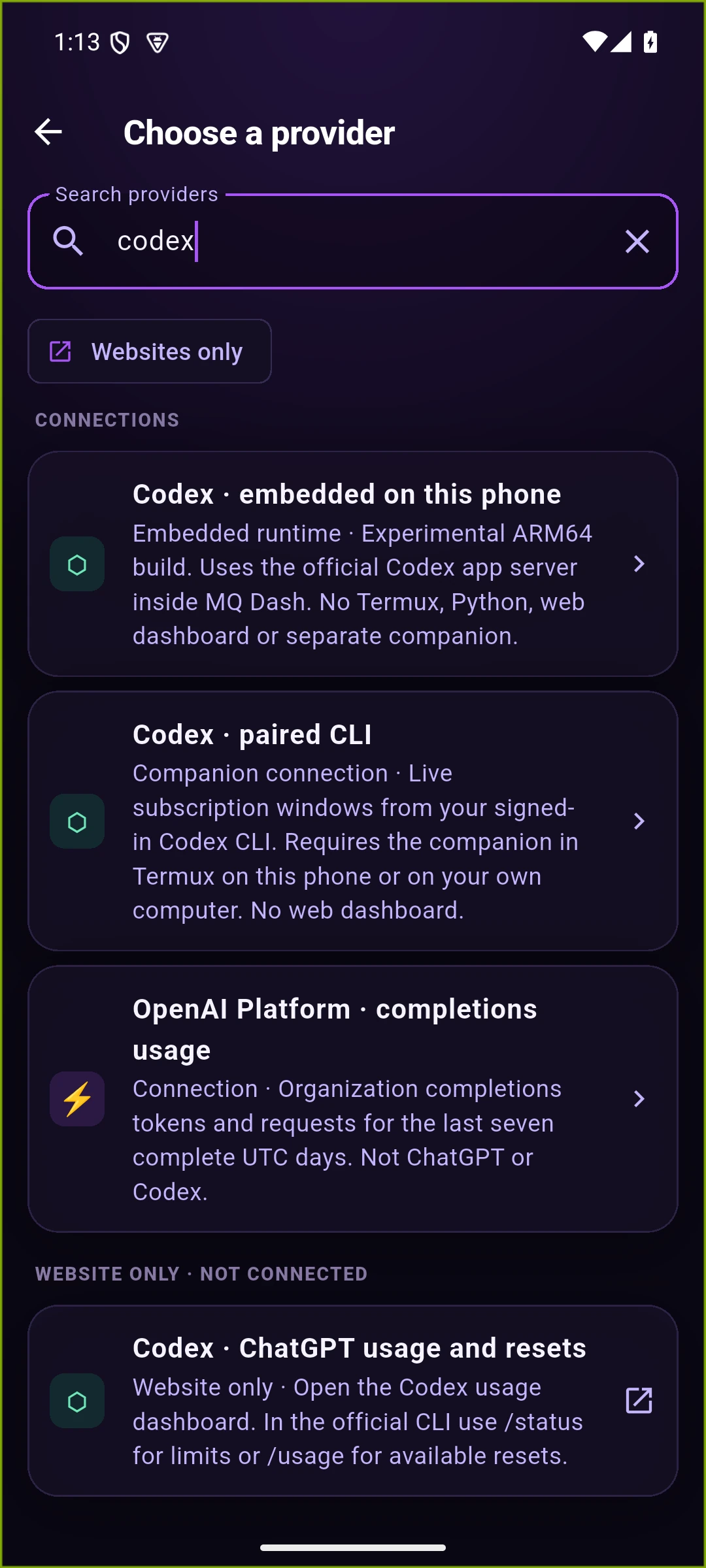
Add multiple accounts and see the readings each provider supports. Website-only entries carry a Website link. Missing readings stay Unknown instead of zero.
App preview · sample data
Codex limits in the same app
The embedded ARM64 view shows Codex subscription limits after official browser sign-in. Earned reset remains optional and needs separate confirmation.
Free or Premium
Use it free. Unlock Premium with one purchase.
The free version includes the dashboard with a small AdMob banner. A one-time Premium purchase removes ads and keeps the same features. Google Play handles payment and restore.
MQ Dash · Free
The dashboard with a small banner.
Use provider connections, multiple accounts, Codex and the optional companions with an AdMob banner.
Dozens of provider connections and multiple accounts
Quota, balance, spend and subscription-limit readings
Six themes and brand-colour bars
Optional Codex earned reset and Hermes companion
Small AdMob banner, with consent where required
Premium · One-time purchase
The same dashboard, without the banner.
Unlock Premium through Google Play Billing to remove ads. Restore the purchase when you change devices or reinstall.
One-time purchase, not a subscription
Removes the AdMob banner
Keeps every dashboard feature from Free
Purchase restore through Google Play Billing
Google Play shows the price before you buy
MQ Dash is in early access and has no public Play listing. Email Sam to ask about access.
Privacy in plain English
Your accounts. Your providers.
MQ Dash connects your phone to the providers you add. It has no developer-operated account server. The free version connects to Google for ads and consent; Play Billing handles Premium.
Provider credentials stay encrypted on your phone. Requests use HTTPS and go to the provider for that account. Cached readings stay in local app storage.
A private Codex session
Codex uses an external browser for sign-in. Its app-server tokens stay in MQ Dash’s private runtime storage. OpenAI handles the account and sign-in processing.
Optional companions
Hermes uses a token you supply and the service you choose. Website-only providers open their own sites. Neither option creates an MQ Dash account.
Ads and purchases disclosed
Free uses AdMob and Google's consent tools. Ad partners process data under your choices. Google Play Billing handles the Premium purchase and restore.
Good to know
A few quick answers.
How can I try MQ Dash?
MQ Dash is in early access and has no Google Play listing. Email Sam about early access for the current test options.
What does Premium cost?
The free version has a small AdMob banner. Premium is a one-time purchase that removes ads. Google Play will show the local price before a purchase, and you can restore the unlock through Play Billing.
Does MQ Dash need Hermes?
No. The Hermes companion is optional. Add a token for the Hermes service you choose to see 24-hour, 7-day and 30-day usage. The rest of the dashboard works without Hermes.
Why does a reading say Unknown?
A provider may not supply every reading for every account. MQ Dash shows Unknown when a value is unavailable instead of presenting it as zero.
Do all providers support account readings?
No. Some providers offer a website link rather than an account connection. MQ Dash labels those entries with Website link so you can open the provider site.
Which devices support Codex?
MQ Dash supports Android 7.0 and later. Embedded Codex requires an ARM64 device. Codex uses its official browser flow in a private session, shows subscription limits and asks for separate confirmation before an optional earned reset.
Built by Sam Russell for people who want a clear view across their AI accounts.
Android, Google Play and AdMob are trademarks of Google LLC. Apple, iPhone, iPad and Mac are trademarks of Apple Inc. Codex and OpenAI belong to their owners. Hermes Agent is a project of Nous Research. Provider names belong to their owners. MQ Dash is an independent dashboard; compatibility does not imply endorsement.
MQ Dash / iOS & iPadOS · Coming soon
MQ Dash for iPhone, iPad & iPhone Duo
Your AI accounts. One dashboard on iPhone, iPad and iPhone Duo.
MQ Dash for iPhone and iPad is waiting for App Review. It connects straight to the AI provider accounts you add and shows plan limits, credit balances, spend and reset times in one dashboard, in six themes. Explore with sample data lets you look around before you add an account.
Coming soon for iOS and iPadOS 15.0 or later · Free, with a small banner that a one-time Premium purchase removes · This version is not on the App Store yet.
Keychain credential storage
Dozens of provider connections
Several accounts per provider
Explore with sample data
Six themes (Hermes Violet to Daylight)
App preview · sample data
Status
Coming soon
Provider connections
Dozens
Themes
Six
Requires
iOS/iPadOS 15.0+
The same dashboard
Built for iPhone, iPad and unfolded iPhone Duo.
The iPhone and iPad version is the same app as MQ Dash Standalone on Android. The last card lists what differs.
Every reading under its own label
Each card says what it shows: a quota window, a credit balance, spend or token usage. A value a provider does not report stays unknown instead of becoming zero.
Dozens of connections, several accounts
Pick from a searchable list. Each connection explains which credential it needs and what it can read before you save anything. Add more than one account for a provider and label each one.
Optional companions
Companions you run on your own computer can report Codex subscription windows, Claude Code’s last reported windows and Hermes token totals. Every other connection works without them.
Direct and private
There is no MQ Dash account server. Credentials stay in the iOS Keychain and go only to the provider they belong to, over HTTPS.
Columns on wide screens
One column on iPhone, two on an unfolded iPhone Duo and on iPad, three on the widest iPad windows. All six themes work at every size.
What differs from Android
The embedded Codex runtime is Android only, so Codex subscription limits need the companion on your own computer. Explore with sample data is offered on the first screen.
A look inside
MQ Dash on iPhone.
The readings are invented sample values, not a real account.
App preview · sample data
Limits and resets on each card
Each account shows its own windows, how much is left and when it resets.
App preview · sample data
Choose a connection
Search the list. Each connection says which credential it needs and what it can read.
App preview · sample data
Six themes
Hermes Violet, Aurora, Ember, Abyss, Synthwave and Daylight.
On iPad
Two or three columns.
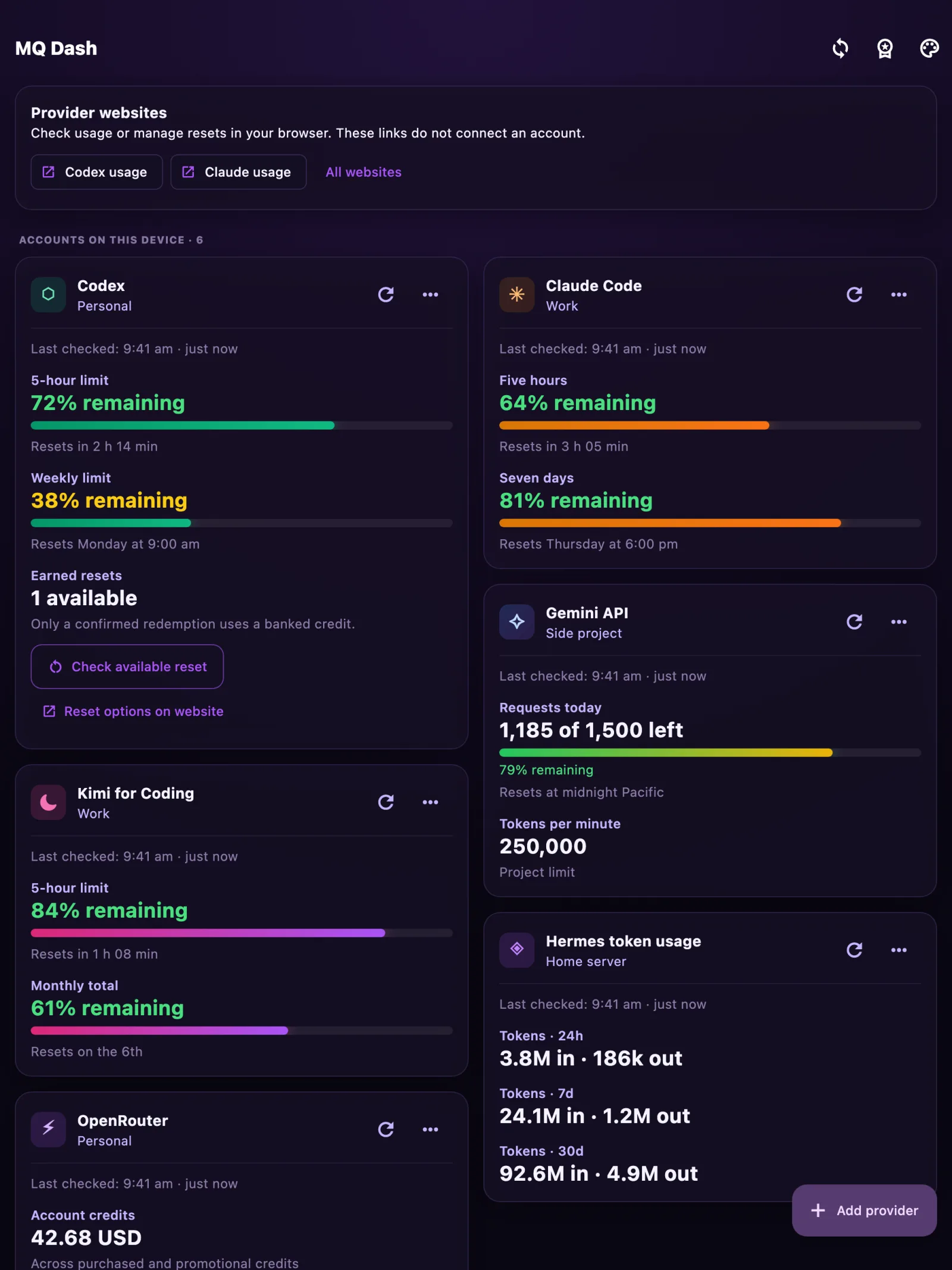
On iPad the account cards sit side by side instead of in one long list.
App preview · sample data
Six accounts on one screen
Codex, Claude Code, Kimi for Coding, Gemini API, OpenRouter and Hermes token usage in two columns.
Two columns in portraitAccount cards sit two across from 840 pt of width.
Three on the widest screensFrom 1240 pt, such as a 13-inch iPad in landscape.
A wider provider listThe searchable connection list uses two columns as well.
iPhone Duo · the folding iPhone
Unfold for two columns.
On an unfolded iPhone Duo, MQ Dash puts two accounts side by side.
App preview · sample data
Two accounts side by side
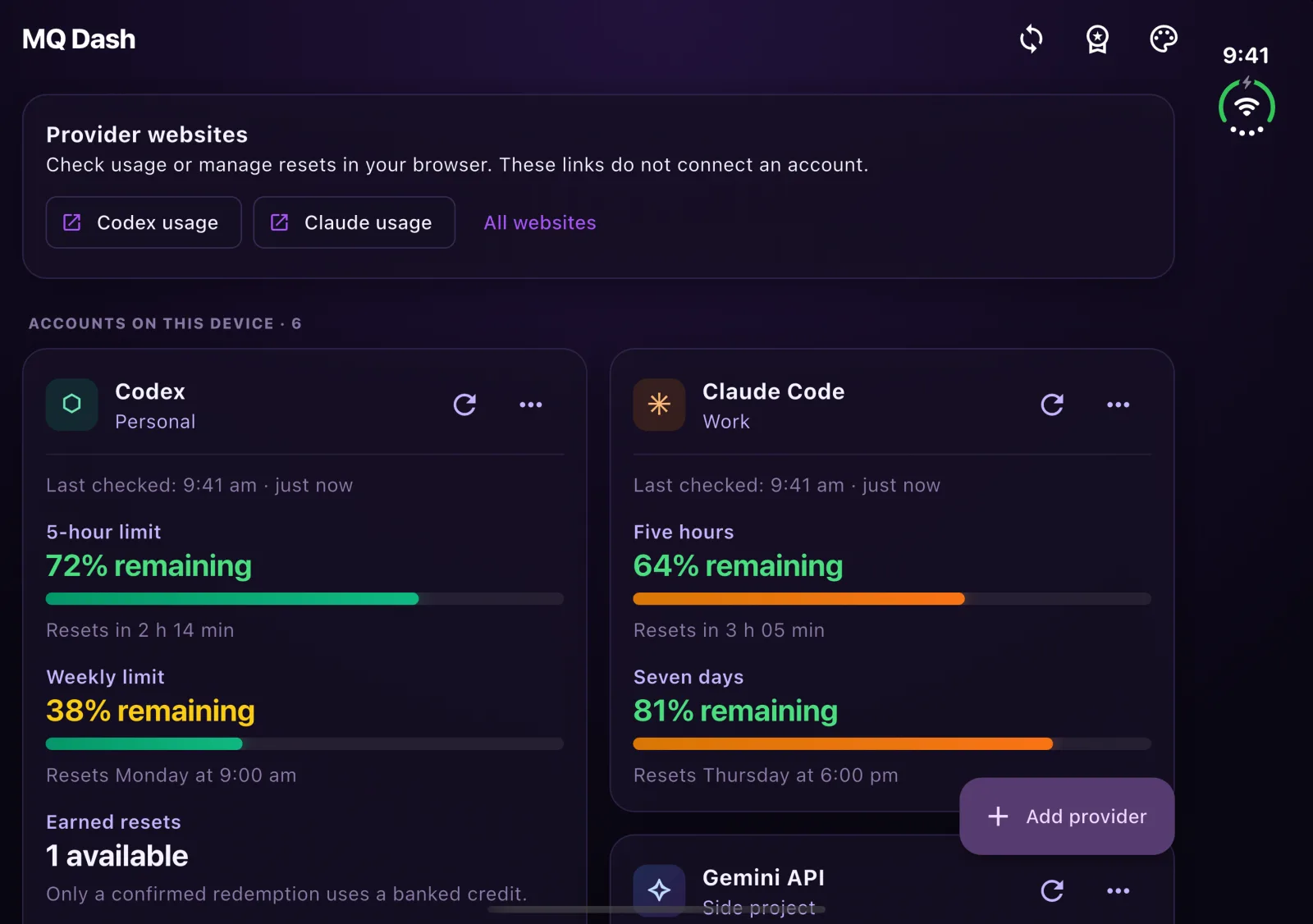
Codex and Claude Code limits sit next to each other, above the rest of your accounts.
Unfolded: two columnsAccount cards sit two across on the inner screen.
Folded: one columnThe cover screen shows the dashboard as an iPhone does.
Same themesAll six themes work at every size.
Before it arrives
A few quick answers.
Do I need a server of my own?
No. MQ Dash connects straight to the provider accounts you add. Optional companions that you run on your own computer add Codex subscription windows, Claude Code’s last reported windows and Hermes token totals.
What does Premium do?
The free app shows one small, non-personalised banner on iPhone and iPad. Premium is a one-time purchase that removes it and can be restored on another device. It is not a subscription.
Can I try it without an account?
Yes. Choose Explore with sample data on the first screen to open the dashboard on invented readings.
When will it be on the App Store?
This version is waiting for App Review. The MQ Dash on the App Store today is an earlier release that reads a quota page from your own Hermes host. This version replaces it as an update.
Built by Sam Russell for people who want their AI accounts in one place.
Apple, iPhone, iPad and Mac are trademarks of Apple Inc. App Store is a service mark of Apple Inc. AdMob is a trademark of Google LLC. Hermes Agent is a project of Nous Research. Provider names belong to their owners. MQ Dash is an independent dashboard; compatibility does not imply endorsement.
MQ Dash / macOS · Coming soon
MQ Dash for Mac
Your AI accounts in a Mac window.
MQ Dash for Mac shows the same dashboard in a desktop window: plan limits, credit balances, spend and reset times for the provider accounts you add, in two or three columns. The Mac version does not show ads and has nothing to buy.
Coming soon for macOS 13.0 or later · No banner, no purchase · Not on the App Store yet.
1120 × 760 default Mac window
macOS App Sandbox & login Keychain
Command-R or F5 to refresh
No banner on the Mac
Status
Coming soon
Default window
1120 × 760
Themes
Six
Minimum macOS
macOS 13.0
Built for your Mac
The same dashboard, sized for a desktop.
Keep MQ Dash as a narrow strip beside your editor, or as a full window on a second display.
Two or three columns
Account cards sit two across from 840 pt of width and three across from 1240 pt. Narrower than that, the window is a single column, down to 360 × 520 pt.
Refresh from the keyboard
Press Command-R or F5 to refresh your accounts. Explore with sample data is on the first screen here too.
No banner, nothing to buy
The Mac version has no banner and no Premium purchase. It runs in the macOS App Sandbox with outgoing network access only and keeps credentials in the login Keychain.