Your icons, your rules
Choose Sorbet, Liquorice, Original or an installed icon pack. Mix 28 plate shapes, per-app names, 228 built-in symbols, themed icons and up to three letters.
Icon packs are always free.

Sorbet Apps / Android
Sorbet Launcher
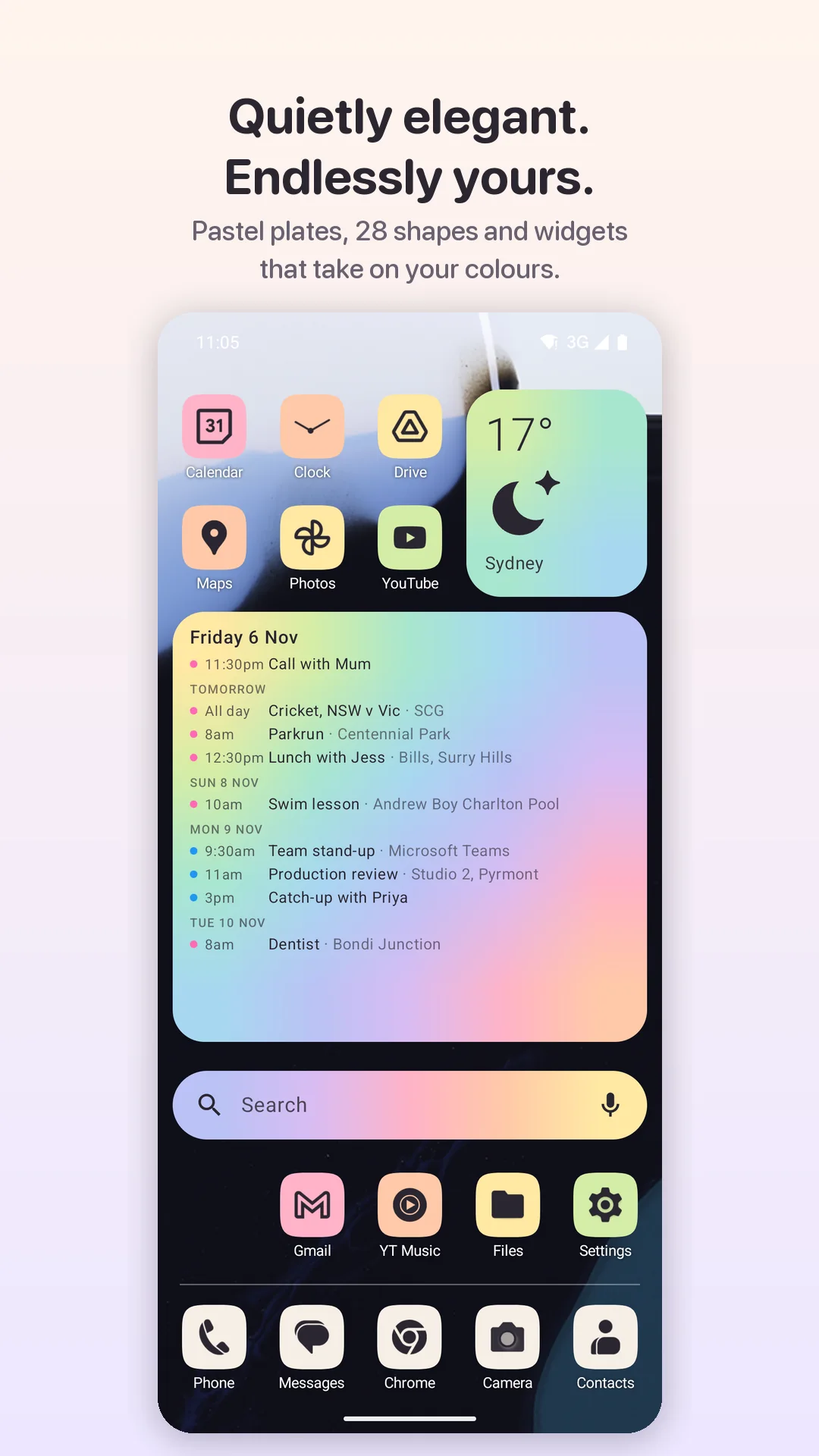
A home screen built around soft colour. Sorbet pairs pastel icon plates with your favourite icon packs, widgets that take on your colours, and motion that makes every app feel at home.
For Android 8.0 and later · Coming soon to Google Play.
Small details. Big difference.
Start with a look you love, then change as much or as little as you like. Sorbet’s defaults are considered; its settings run deep.
Choose Sorbet, Liquorice, Original or an installed icon pack. Mix 28 plate shapes, per-app names, 228 built-in symbols, themed icons and up to three letters.
Icon packs are always free.Six palettes range from Sorbet and Macaron to Mint Choc and Allsorts. Colour by row, column, diagonal, checkerboard or each app’s own brand colour.
Custom colours and extra patterns are Plus.Weather, calendar, clock and search sit naturally beside your apps. Widgets can blend through the colours of every grid row or column they cover.
Add and resize standard Android widgets too.Open with Bloom, Circle, Rise or Ripple; close into the icon, bounce or send a wave home. Sorbet follows Android’s animation setting and offers Instant.
Eight opening and six closing styles.Fuzzy app search understands initials. Quick answers handle sums and unit conversions on the phone. Sort by name, install date or locally stored launch counts.
Web and Play searches are always your choice.Preview and copy pages, folders and the dock from another launcher. Export your layout and settings as JSON, restore them later, and undo a layout copy.
Layout copy and backups are free.A taste of Sorbet
Switch between Sorbet plates, Liquorice and original icons. Then select an app to see its colour bloom across the screen.
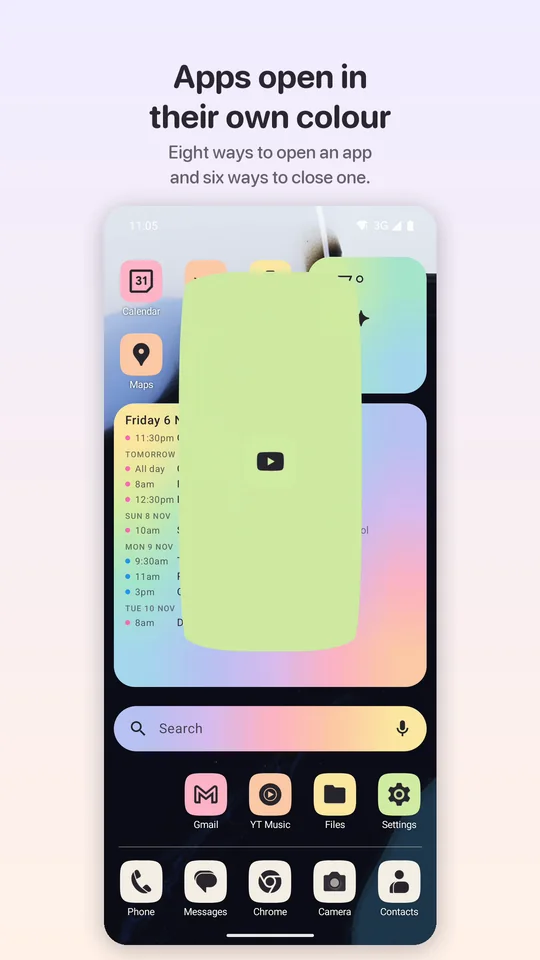
Sorbet’s Bloom grows the icon’s plate into a full-screen wash of colour while the app starts. Choose Sorbet, Liquorice or Original for your icons; use a preset palette or make your own.
Turn on JavaScript to try the interactive colour and motion preview.
Pick an icon look, try a plate palette, or tap any app on the phone to watch its colour bloom.
Palettes apply to Sorbet plates.
Sorbet plates with the Sorbet palette. Tap an app to see its opening colour.
Tap any app icon on the phone to preview Bloom.
Up close
Pair your favourite icon pack with pastel plates, keep your schedule on the home screen, and open every app in colour.
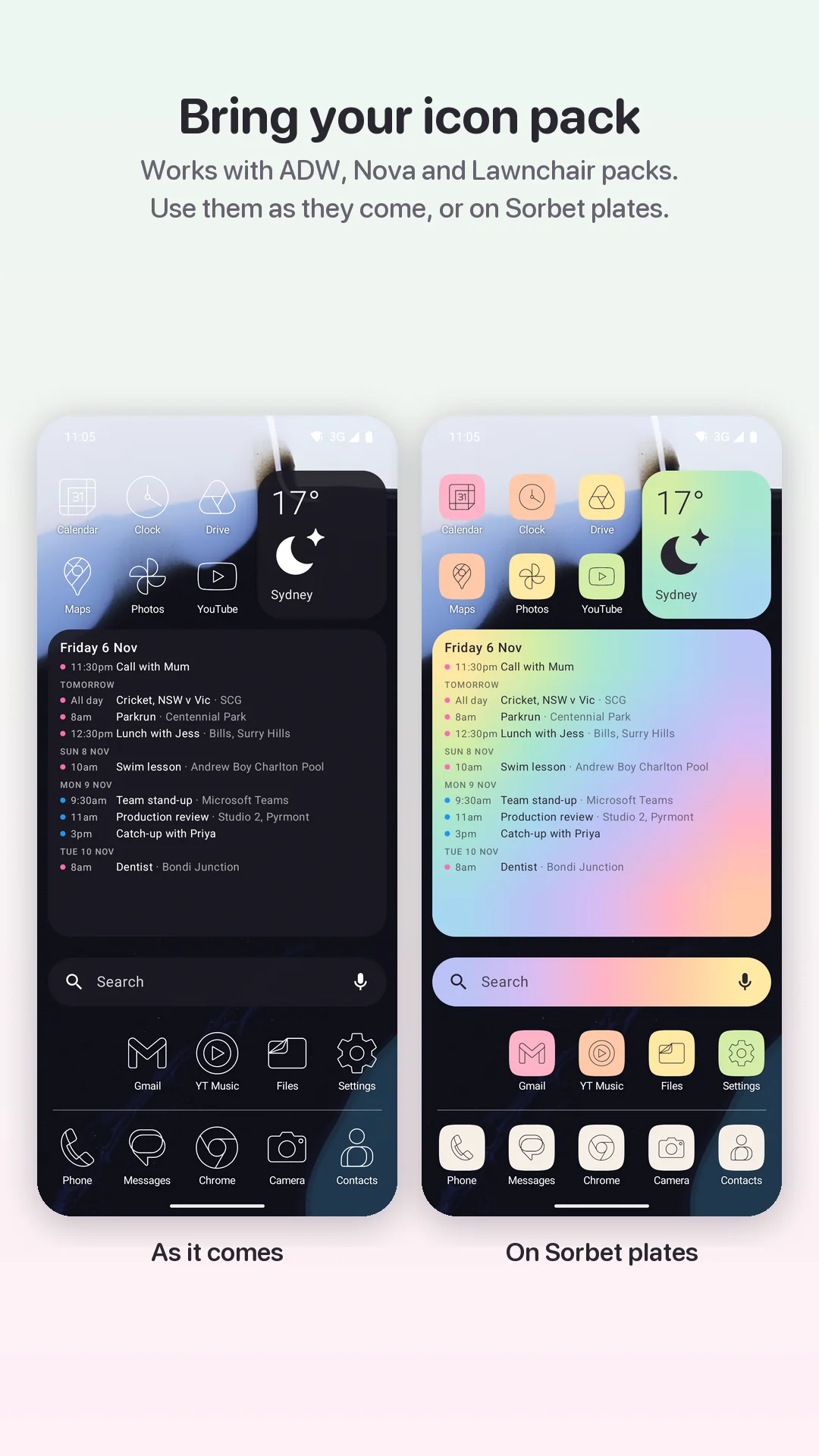
Use ADW, Nova and Lawnchair-compatible packs as they come, or put their glyphs on Sorbet plates. Shown here with the open-source Arcticons pack.
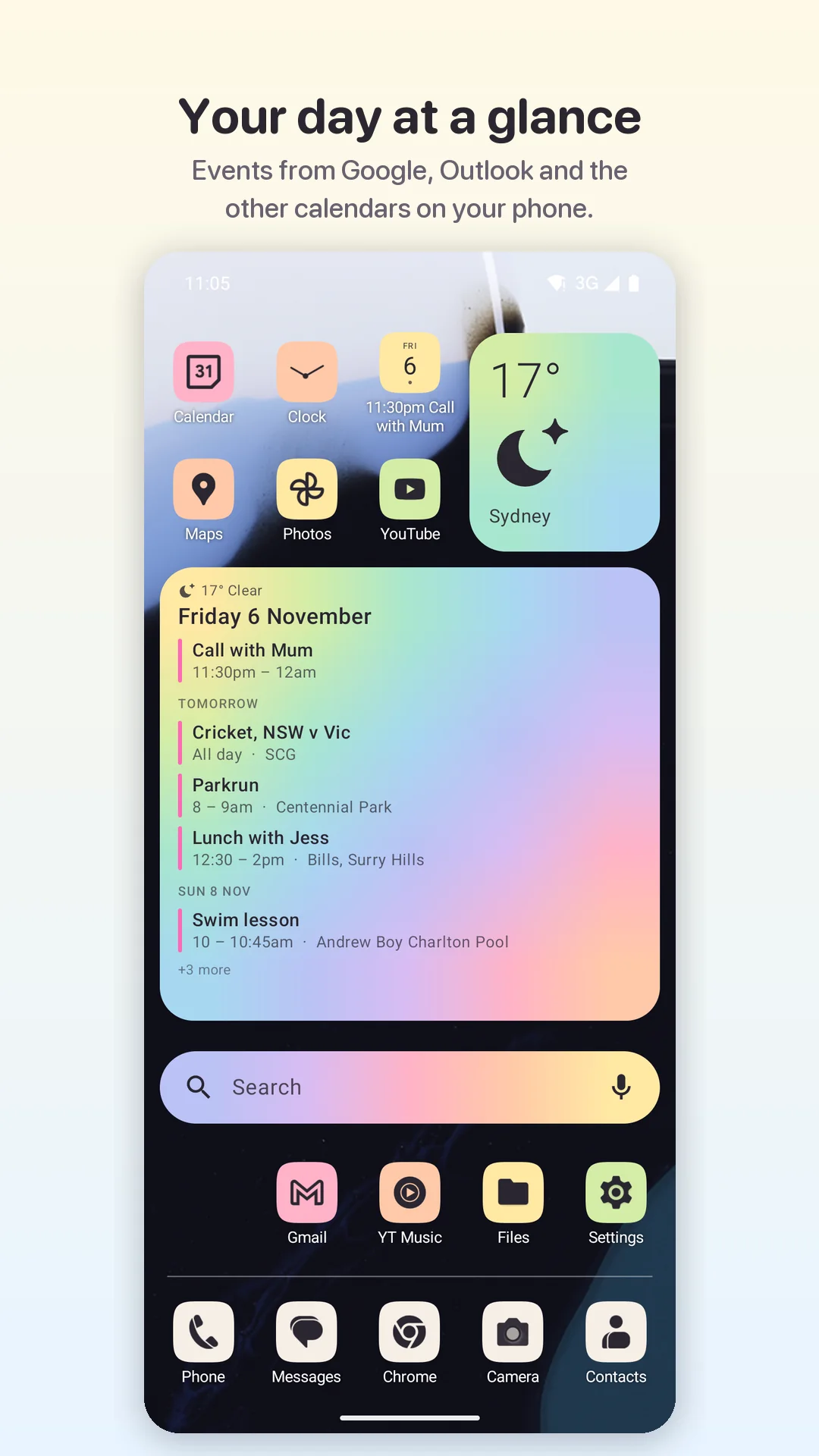
See events from calendars already on your phone. A one-cell date icon becomes a detailed agenda when you give it more room.
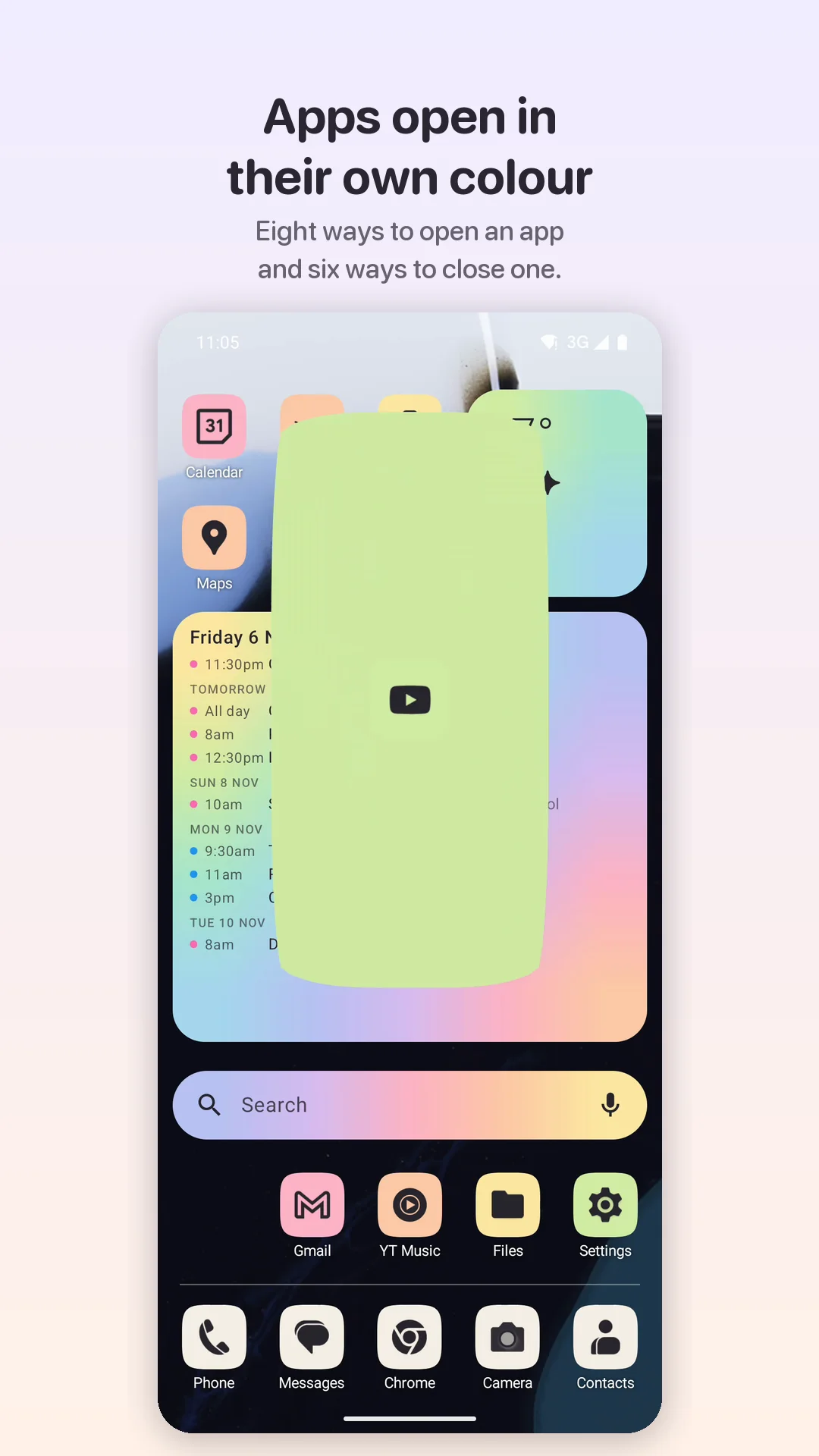
Bloom carries an icon’s colour and shape into the screen. Other choices include Circle, Rise, Ripple, Zoom, Reveal, System and Instant.
No subscription
The free launcher is complete on its own. Sorbet Plus is an optional one-off purchase that unlocks the deeper customisation, not a recurring bill.
A polished home screen without ads, an account or a feature timer.
Keep your Plus settings in backups, even before you unlock them again.
Privacy in plain English
Sorbet has no ads, analytics, sign-in or cloud account. Only the features that need the network connect: weather forecasts, Google Play purchases and searches you choose to open.
Read the complete privacy policyLayouts, settings, custom names and launch counts are stored on your phone. Calendar events and quick answers are processed on-device by Sorbet.
Weather sends your chosen place or coordinates to Open-Meteo. Play Billing checks Plus with Google. A web or Play Store search opens that provider with your query.
Calendar and notification access are optional. Two accessibility services have separate, narrow jobs and stay off until you enable them.
Suggestions and requests open your email app with an editable draft. App and device details are included for context, but nothing is sent until you choose to send it.
Good to know
Sorbet supports Android 8.0 (API 26) and later. Some motion details depend on your Android version and navigation mode; Sorbet follows the system animation setting.
No. Icon packs are free in every copy of Sorbet. You can use a pack across the home screen, place its glyphs under Sorbet or Liquorice plates, or choose an individual icon from it.
Sorbet can read another launcher’s visible home-screen layout after you start a copy and enable its separate layout-copy accessibility service. You see a preview before replacing anything and can undo the copy. Widgets are listed for you to add again rather than copied automatically. Pixel Launcher is tested; results can vary elsewhere.
No precise-location permission is requested. The weather card starts with Sydney and sends those coordinates to Open-Meteo when weather is used. If you search for another place, your typed search and the selected coordinates are sent to Open-Meteo to provide weather.
Sorbet is coming soon to Google Play for Android 8.0 and later.
Built by Sam Russell with a fondness for thoughtful software and a well-arranged home screen.
Weather data by Open-Meteo, under CC BY 4.0. Android and Google Play are trademarks of Google LLC. Other product names belong to their owners; compatibility does not imply endorsement.