
Perplexity Personal Computer for Windows Is Here
I have been testing Perplexity Computer online for a while now. The version I use mainly sits inside Microsoft 365, including Word, Excel, PowerPoint, Outlook and Teams. It is one of the better agent-tool integrations I have used. It does not feel like a chatbot bolted onto an app. It feels native.
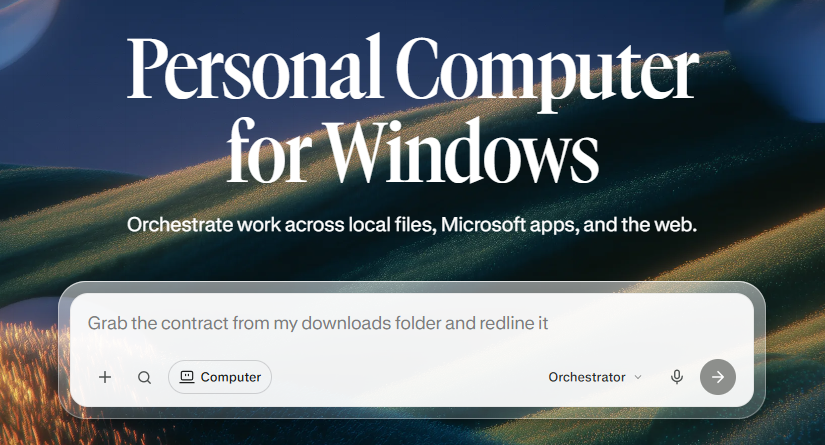
Perplexity is now shipping a Windows desktop version. Personal Computer for Windows runs on your machine, reads and edits local files, works inside Office apps, and supports voice. It also supports remote execution, so you can start a task on your phone and finish it at your desk.
This is the build I want to test. I want to see how local file access behaves on a real workstation, how quickly it handles folder-scoped tasks, and whether model orchestration over 20-plus frontier models actually changes outputs in day-to-day use.
What it can do
Local file work is the headline. You point Personal Computer at approved folders and it opens, reads and writes the files inside them. That is a better workflow context switch than screenshot-based desktop agents. It is not interpreting pixels. It is working with the same files and folders you already use.
Microsoft workflows are still central. Excel, PowerPoint, Word and Outlook are all in scope, plus OneDrive. If you live in Office, that keeps Computer inside the toolchain instead of forcing a tab swap every time you want to generate, summarise or transform something.
Comet Browser control matters more than it sounds. Computer can browse and automate the web without you switching apps or copying answers between windows. That removes the last handoff between research and action.
Voice Mode rounds out interaction options. I usually prefer typing, but for quick prompts or hands-busy moments, voice keeps the task going without breaking flow.
Remote execution is the feature most people will notice first. Start a task from your phone or another machine and your Windows box finishes it. For anyone jumping between devices during the day, that is the difference between an agent that is useful and an agent that is in the way.
Security and control
Perplexity is clear about access boundaries. Personal Computer for Windows only reaches folders and apps you approve. You see the actions it takes. It does not wander the filesystem in the background.
IT gets admin controls as well. Folder scoping, per-user permissions and activity logs are included. That is not a side note. For teams rolling this out in professional environments, governance matters as much as capability.
Where this fits
This is not a general browser. It is a desktop agent for people who work inside Windows and Microsoft apps all day. Remote execution, local file access and model orchestration are the pieces that make it different from the cloud-only chat experience most people have now.
For me, the local Windows build is the next step after the Microsoft 365 integration I have been using. I want to test folder-scoped file work, how responses change with direct local context, and whether the orchestration layer meaningfully outperforms a single-model workflow.
Personal Computer for Windows is rolling out to Max and Enterprise Max customers first. Details and waitlist access are on the Perplexity product page.
Source
Source: Perplexity — Personal Computer for Windows
Connect with me on LinkedIn.