
Coreutils for Windows
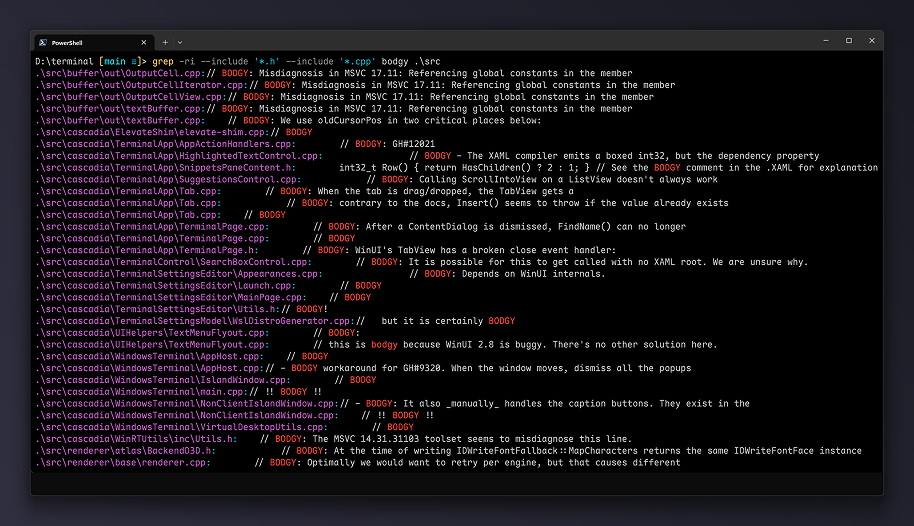
I have run Windows as my daily driver for years. Hardware support. The app ecosystem. The fact that it works on every laptop I throw at it. Those are advantages.
Every time I open a terminal, I reach for Linux tools. Muscle memory. grep. sed. awk. find. xargs. cat. less. These are not just commands. They are how I think about text, files, and pipelines.
Windows has always had a gap here. PowerShell is powerful. It is also its own language. WSL is excellent. It is also a VM boundary. Git Bash and MSYS2 help. They are also partial ports with rough edges. You learn which tools work and which ones break your scripts.
Coreutils for Windows closes that gap. Microsoft now ships a native Windows build of the uutils/coreutils project. The same Rust reimplementation of GNU coreutils that modern Linux distributions use. One multi-call binary: coreutils.exe. Drop it in a folder on PATH and you get cat.exe, grep.exe, find.exe, ls.exe, cp.exe, mv.exe, rm.exe, mkdir.exe, rmdir.exe, touch.exe, date.exe, echo.exe, printf.exe, sort.exe, uniq.exe, cut.exe, paste.exe, join.exe, split.exe, head.exe, tail.exe, wc.exe, basename.exe, dirname.exe, readlink.exe, realpath.exe, mktemp.exe, sync.exe, sleep.exe, timeout.exe, nohup.exe, env.exe, printenv.exe, id.exe, whoami.exe, groups.exe, hostname.exe, uname.exe, arch.exe, df.exe, du.exe, stat.exe, chmod.exe, chown.exe, chgrp.exe, ln.exe, link.exe. Over 100 utilities. The full list is on the Microsoft documentation page.
Install
winget install Microsoft.CoreutilsOr download the latest release from GitHub. No subsystem. No translation layer. Native Windows binaries built from the same source that feeds Fedora, Arch, and Debian.
The project bundles findutils (find, xargs, locate) and a GNU-compatible grep. It includes integrated ports of the original DOS sort and find so existing CMD scripts that rely on /switch-style syntax keep working alongside the UNIX-style versions. Shell conflicts are documented on the GitHub repo.
Daily work
Muscle memory transfers. I type grep -r "pattern" . and it works. find . -name "*.py" -exec grep -l "TODO" {} \; works. cat file1 file2 > combined works. ls -la | less works. Same flags. Same pipelines. Scripts I write on my Mac or in WSL run on Windows without edits.
Cross-platform scripts get simpler. CI pipelines on Windows runners no longer need bash -c wrappers or WSL invocations for basic file operations. A Makefile or shell script using cp, mv, mkdir, rm, find, grep, sed, awk targets Windows directly. The "works on Linux, breaks on Windows" friction drops for a whole class of tooling.
Interactive use works. Tab completion in PowerShell or cmd works against the real binaries. coreutils --help lists everything. Each command supports --help with full syntax. Alias ls to ls --color=auto in your profile and it behaves as expected.
The Rust implementation matters. Memory safety eliminates a class of crashes that affected the C originals. Performance matches or exceeds them on modern hardware. Single static binary. No DLL hell. No runtime dependencies beyond the Windows CRT.
Caveats
Not a full GNU userland. No bash. No sed. No awk. No make. No gcc. For those you still want WSL, MSYS2, or Git Bash. Coreutils covers file, text, and pipeline utilities. The tools I reach for daily.
Some commands behave differently on Windows. chmod and chown map to Windows ACLs where possible but the POSIX permission model does not map without issues. df and du report NTFS semantics. stat returns Windows file attributes. The documentation covers these differences.
Shell conflicts exist. find and sort collide with CMD built-ins. The Microsoft build ships both UNIX-style and DOS-style versions. Disambiguate with full paths or PATH order. The GitHub readme has the details.
Why this matters
If you live in the terminal, the tools you reach for without thinking set your pace. Coreutils for Windows puts the standard UNIX toolkit on the native Windows path. No VM startup. No filesystem translation. No "works in WSL but not in cmd" surprises for the basics.
Microsoft did not announce it with a keynote. It sits in the Windows developer tools documentation alongside WinGet, PowerToys, Terminal, and WSL. For anyone who has pasted a Linux one-liner into a Windows terminal and watched it fail, this fixes those failures.
Source
Source: Microsoft Learn — Coreutils for Windows overview
Connect with me on LinkedIn.