
Copilot in Excel Adds Skills, Connectors, and Traceability - Built for Finance
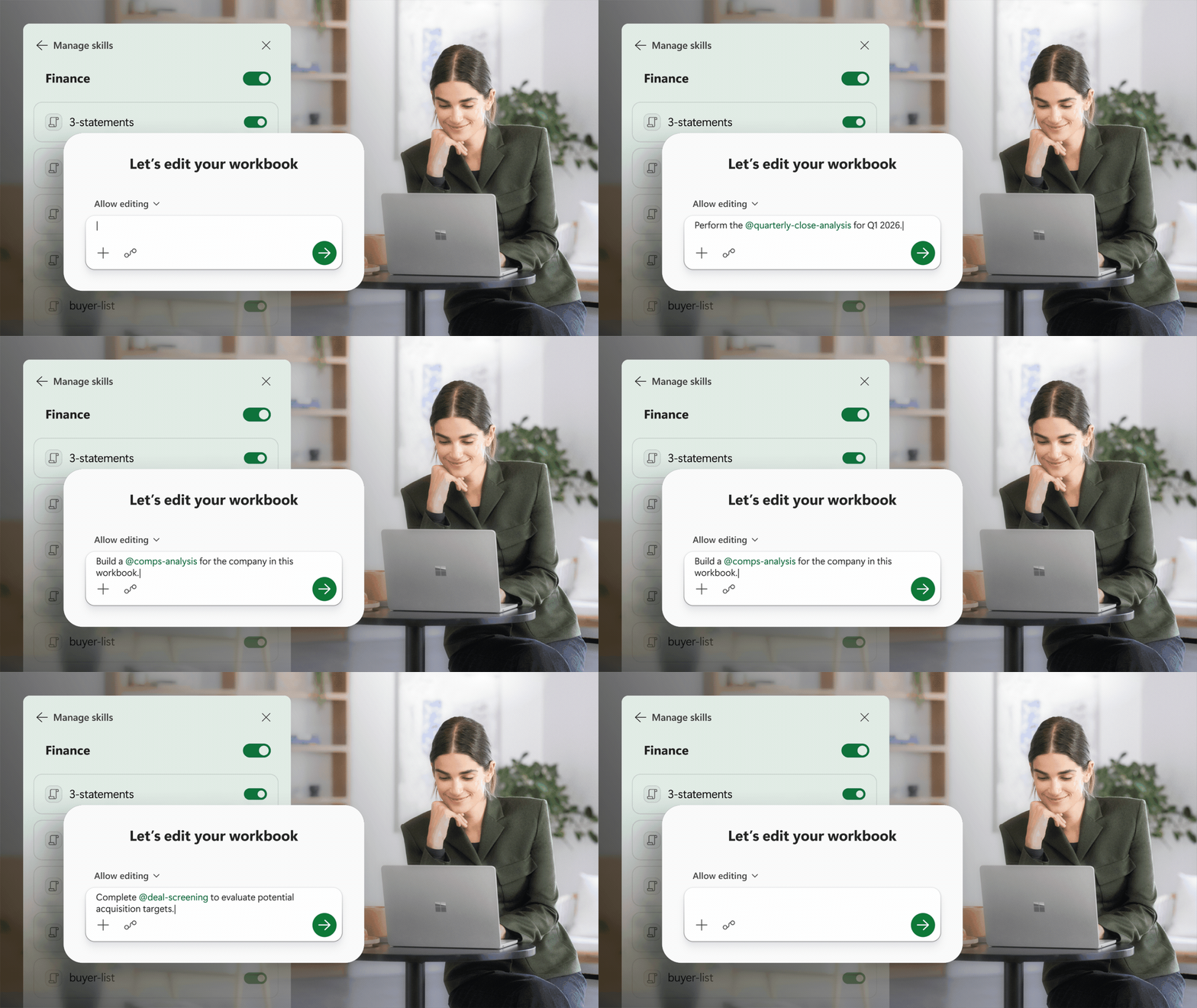
Microsoft is adding skills, six financial data connectors, Plan with Copilot for preview-before-execute, and Copilot attribution in Show Changes to Excel. The features shipped on 25 June 2026, and they are aimed squarely at finance teams: FP&A, accounting, tax, treasury, and compliance. Here is what landed, how it works, and six prompt examples you can try.
 What shipped
On 25 June, Microsoft announced the biggest Copilot in Excel update since the product launched. Three new capability areas:
- Skills: repeatable, guided workflows defined in markdown. Copilot runs them step by step, applying your structure, formatting, and methodology each time.
- Financial data connectors: six new data sources that pull live market data, fundamentals, and analyst research directly into workbooks. CB Insights, Daloopa, FactSet, Morningstar, PitchBook, and S&P Global (via Kensho).
- Traceability features: Plan with Copilot lets you preview what changes Copilot intends to make before it touches a cell. Show Changes now attributes edits to Copilot alongside human collaborators.
These are generally available now for Microsoft 365 Copilot customers across Excel for Web, Windows, and Mac. Custom skills are on the Insiders channel today and roll out to general availability next month. Partner-built skills arrive in Q3 2026.
Microsoft also shipped Personalisation and workbook rules. Personalisation lets you set preferences once and have Copilot apply them across sessions. Workbook rules capture your naming conventions, formula patterns, and structural preferences as a sheet inside the workbook. Copilot reads them and follows the file.
Skills: repeatable finance workflows in markdown
The headline feature is skills. Think of a skill as a checklist Copilot follows. You define it once in a markdown file, save it to OneDrive, and Copilot picks it up. From that point, you can invoke it with @skill-name and Copilot runs the process from start to finish.
Why this matters in finance: most finance work is repeatable. A DCF model has the same structure every quarter. Variance analysis follows the same logic every month. The board reporting deck refreshes the same way every cycle. A skill encodes that structure so Copilot does not start from scratch each time. It follows the methodology your team already agreed on.
How to create a custom skill
- Create a file called
SKILL.mdin your OneDrive. The format is open-standard markdown. The same kind of file that drives Hermes Agent skills and Copilot Cowork skills. - Define the steps Copilot should follow: which data sources to pull, what calculations to run, how to format outputs, what assumptions to apply.
- Copilot discovers the file automatically. Invoke it in Excel with
@skill-name.
Microsoft ships a library of sample finance skills out of the box: DCF modeling, month-end close, variance analysis, board reporting refresh, and more. You can use those as templates and modify them for your own processes.
The markdown format means skills are version-controlled, shareable across the team, and auditable. A finance manager can define the approved methodology once and distribute it to the whole FP&A team.
Six new financial data connectors
Copilot in Excel already connected to LSEG and Moody's. The June update adds six more, covering private markets, public filings, fund analytics, and institutional research. Each connector pulls live data into the workbook so your analysis starts from current numbers, not a CSV export from last week.
| Connector | What it brings in |
|---|---|
| CB Insights | Predictive intelligence on private companies and emerging markets. Source deals, evaluate markets, support M&A and corporate development workflows. |
| Daloopa | Audit-ready fundamentals from SEC filings, investor presentations, and press releases. Build comp tables, update operating models, cut manual data entry from filings. |
| FactSet | Financial and alternative data for investment professionals. Modelling, screening, market analysis, and research workflows. (In preview, GA in July.) |
| Morningstar | Investment research and data: analyst research, ratings, portfolio analytics. Evaluate holdings, compare funds, support asset allocation decisions. |
| PitchBook | Private capital market intelligence. Company profiles, deal histories, fund data, analyst research. Build target lists, support diligence, screen investments. |
| S&P Global (Kensho) | Structured, API-driven access to S&P Global data for LLMs and agent-based systems. Company research, financial analysis, transcript intelligence, multi-entity comparisons. |
Note: third-party connectors may need separate licensing or subscriptions from the provider. FactSet is currently in preview and reaches general availability in July 2026.
Plan with Copilot and Show Changes attribution
Finance teams have one non-negotiable requirement: you need to know how you got to the number. The answer alone is not enough.
Plan with Copilot adds a preview step before Copilot executes. When you ask Copilot to update a forecast or refresh a model, it first outlines what it intends to change: which ranges, worksheets, formulas, and assumptions. It asks clarifying questions before touching anything. You review the plan, then approve or adjust. This is the same "show your work" discipline a good analyst brings to a review meeting.
Show Changes now attributes edits to Copilot. Previously, Show Changes tracked human collaborators. Now Copilot's changes appear alongside them, linked back to the affected cells. If Copilot adjusted the revenue forecast in cell D42, you can trace when it happened, what changed, and why. The same audit trail you get for a colleague's edit.
Together, these two features make Copilot work more like a trusted analyst: it proposes a path, explains the approach, and makes every change transparent and reviewable.
How Microsoft tested it
Microsoft's own finance organisation (FP&A, accounting, tax, compliance, and treasury) uses Copilot in Excel in production. They shaped the product as much as they used it. By the time these features reached general availability, they had been pressure-tested by a finance org operating at scale.
Microsoft also partnered with the Financial Modeling Institute (FMI), the global body that credentials professional financial modellers. FMI's library of real-world financial modelling cases became part of Microsoft's evaluation framework. Before a new Copilot capability ships, it is tested against graded levels of task complexity and finance-specific benchmarks. The question is not just "can it complete a single task" but "can it deliver a multi-step workflow with a verifiable result."
Six prompt examples to try
These are the prompts Microsoft published with the announcement. They combine Work IQ (work context grounding), skills (@skill-name references), and connectors for live external data.
1. Close the books with @variance-analysis
Compare last quarter's actuals to plan using internal forecast reviews and planning decks. Identify the five largest revenue, expense, margin, and cash flow variances, explain likely drivers, and draft an executive-ready business review summary with @variance-analysis.
2. Update the forecast with @model-update
Roll forward the current forecast using the latest approved assumptions and budgets from my team. Incorporate market data, reconcile changes against the current operating plan, and summarise the key drivers behind the updated outlook with @model-update.
3. Build the valuation model with @comps-analysis
Use @comps-analysis to build a DCF, comparable company analysis, and sensitivity model for this company. Pull financial fundamentals, analyst expectations, market benchmarks, and transaction multiples to explain key valuation drivers.
4. Screen acquisition targets with @deal-screening
Use @deal-screening to help identify acquisition candidates that match our internal strategy documents and acquisition criteria. Combine company performance and market signals with funding history and investor activity to evaluate, rank, and recommend the strongest opportunities.
5. Monitor portfolio performance with @portfolio-monitoring
Use @portfolio-monitoring to assess this portfolio's performance against investment objectives and internal investment committee materials. Pull fund analytics and ratings alongside market performance and risk data to identify concentration risks and recommend portfolio adjustments.
6. Stay ahead of earnings with @catalyst-calendar
Use @catalyst-calendar to analyse earnings results, estimate revisions, analyst expectations, and management commentary for the companies in this list. Pull consensus forecasts, transcript intelligence, and market data to identify sentiment shifts and summarise the developments that matter most to investors.
What this means for finance teams
The pattern across these features is the same: Copilot is being shaped by finance users and built to their standards, not the other way around.
Skills mean the methodology lives in a file, not in someone's head. Connectors mean analysis starts from live data, not stale exports. Plan with Copilot and Show Changes attribution mean every number has a trail. These are not AI features for the sake of AI. They are the same disciplines finance teams have always demanded from Excel, applied to an agent that can now do the work.
Partner-built skills are the next phase. Microsoft has already started working with LSEG, Ramp, Rogo, Samaya AI, Velixo, and Vena. When those skills ship through Microsoft Marketplace and the Microsoft 365 Admin Center in Q3, finance teams will have a catalogue of domain-specific workflows they can deploy across the organisation.
Availability summary
- Personalisation, workbook rules, pre-built skills, federated Copilot connectors, Plan with Copilot, and Copilot attribution in Show Changes: generally available for Microsoft 365 Copilot customers on Excel for Web, Windows, and Mac.
- Custom skills: available today via Insiders channel for Windows and Mac. GA next month across Web, Windows, and Mac.
- Partner-built skills: Q3 2026 via Microsoft Marketplace and Admin Center.
Source: Microsoft 365 Blog - Copilot in Excel: Built for the era of Frontier Finance
Connect with me on LinkedIn.